Netmo 2
Your Netatmo weather in the menu bar, as a desktop app and as a widget.
For Netatmo weather stations and Smart Indoor Air Quality Monitors

Launch offer: save 33% – limited time only
For macOS
Menu bar or desktop app
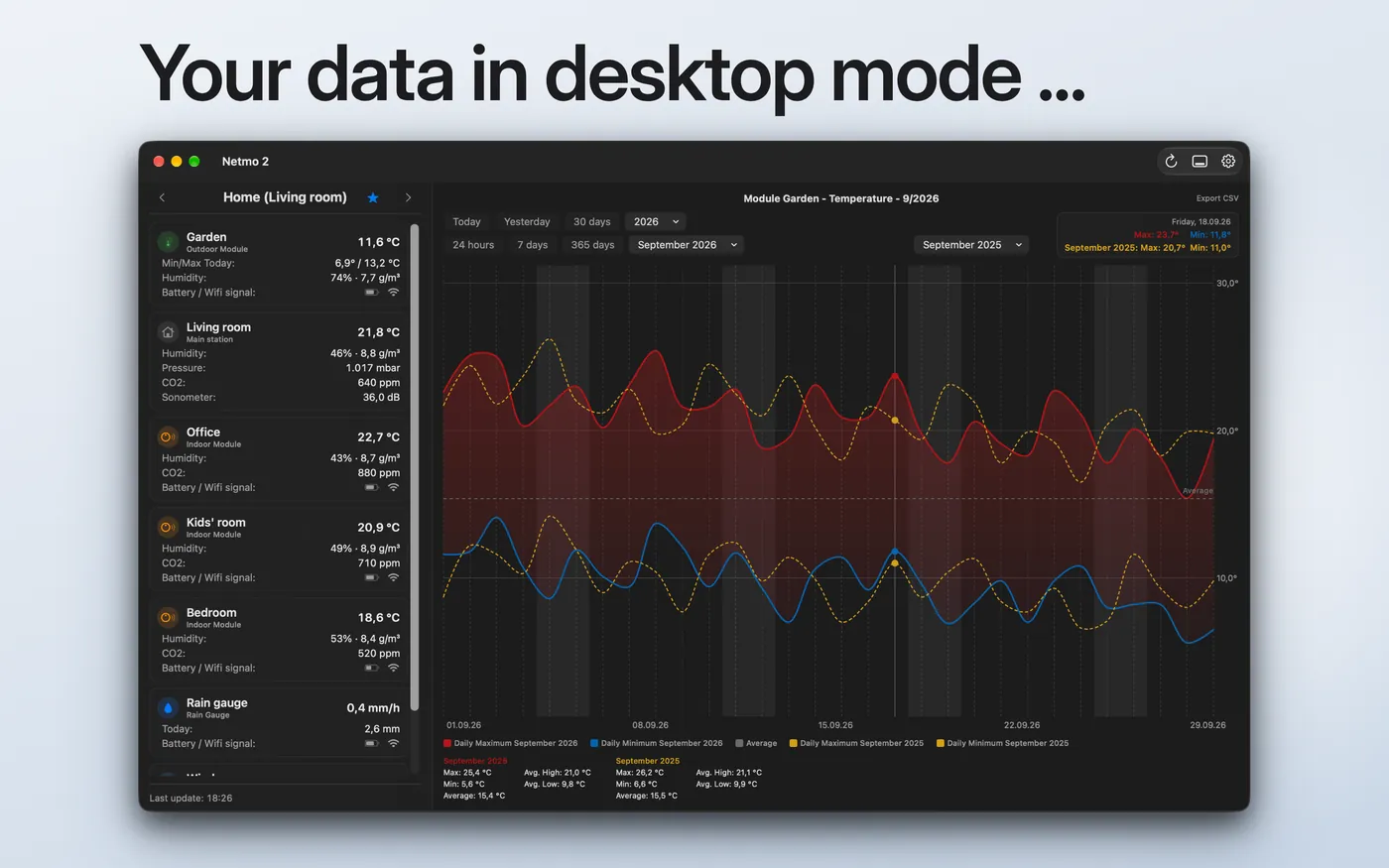
Show any measurements in the menu bar, or use Netmo 2 as a desktop app with a window that shows all values on the left and a permanent chart on the right.
Charts with comparison periods
History for every measurement, from today to the calendar year. Overlay up to three earlier months or years on the current chart.
Smart Indoor Air Quality Monitor
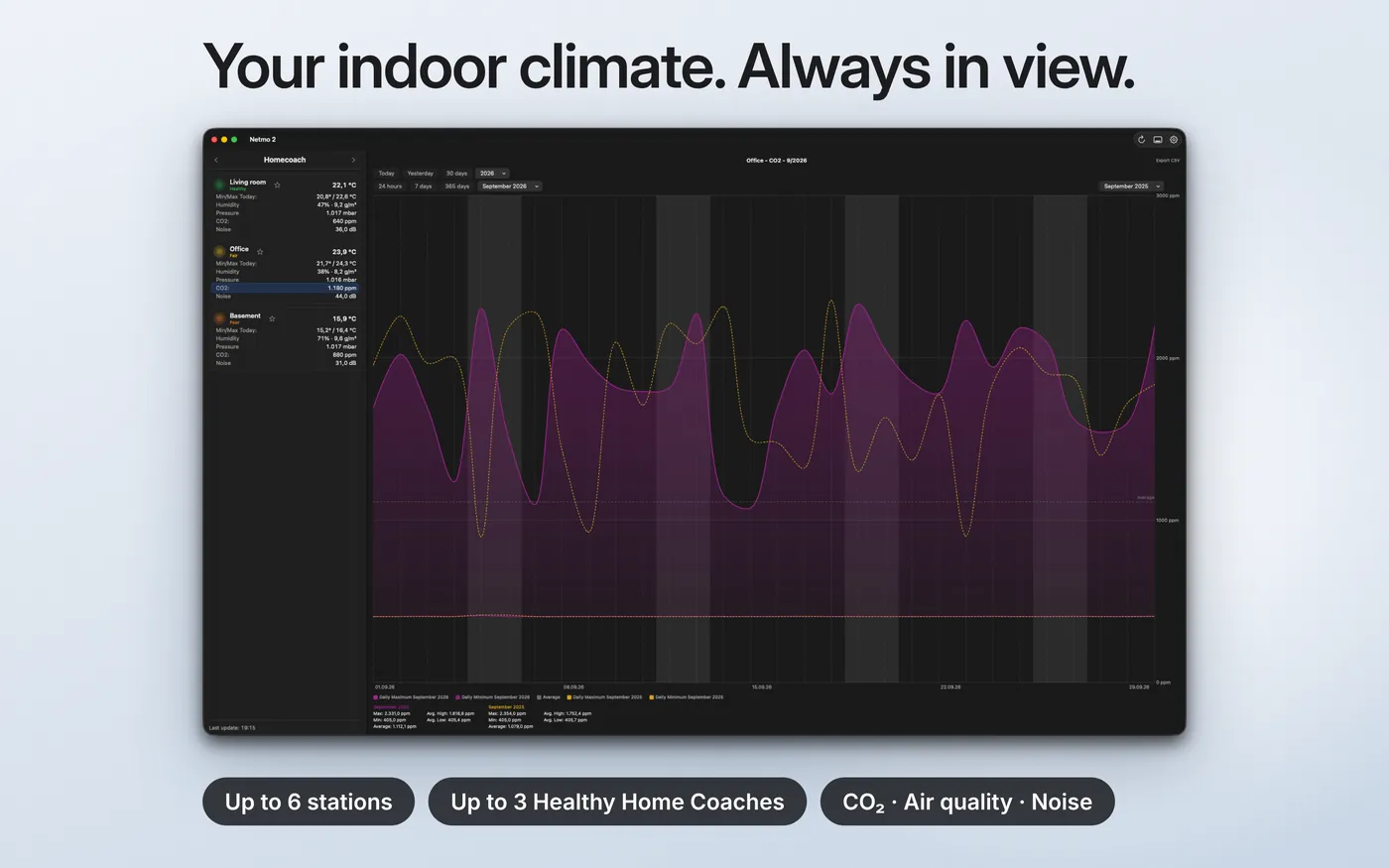
Temperature, humidity, CO₂ and noise from your Smart Indoor Air Quality Monitor (formerly Healthy Home Coach), with a traffic light for the health index.
Widgets in three sizes
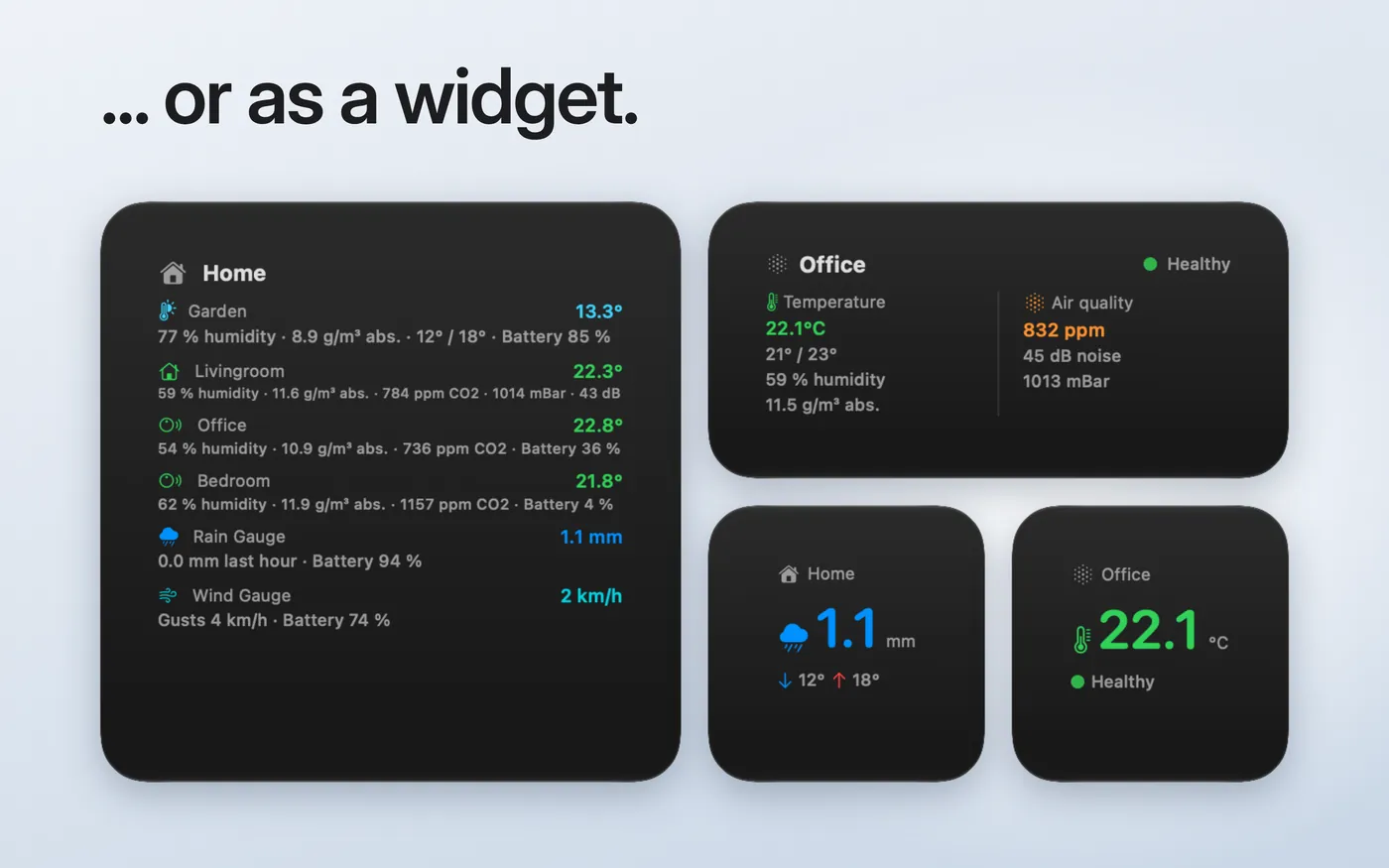
Small, medium or large: you choose the weather station or air quality monitor and the value in focus.
Notifications
Alerts for high CO₂, frost, heat, humidity out of range, offline modules or low battery. You set the thresholds yourself.
Signed in securely
You sign in directly with Netatmo. Netmo 2 has read-only access and never sees your password.
Netmo 2 is the new Mac app for your Netatmo weather stations and Smart Indoor Air Quality Monitors (formerly Healthy Home Coach). Temperature, humidity, CO₂ and more are always at a glance. Netmo 2 is a new, standalone app in the Mac App Store and not an update to Netmo Classic.
Menu bar and panel
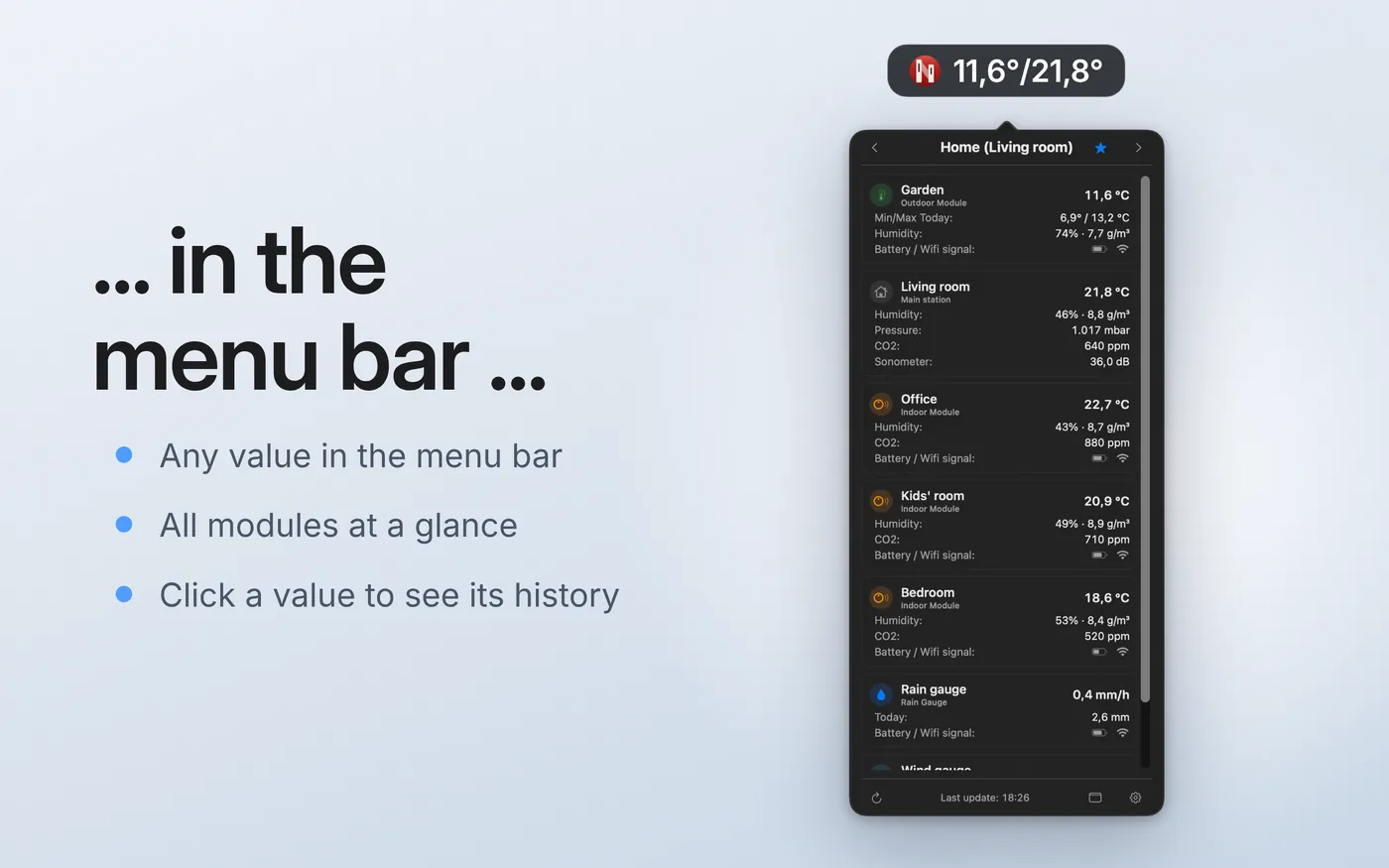
Show any measurements in the menu bar: temperature (outdoor, indoor, additional modules), humidity, pressure, CO₂, noise, rain and wind including gusts and direction. A click on a value shows its history, and if you like, the chart appears as soon as you hover over it.
Multiple stations can rotate automatically (every 15 seconds up to 5 minutes) or be browsed with the arrows. Separators, symbols, station names, colors per module and rounded values are all adjustable.
Desktop mode
Netmo 2 runs in the menu bar, in the Dock, or both. In desktop mode, a window shows all values on the left and a permanent chart on the right. The window appears on the Space you are currently working in.
Charts
Charts are available for temperature, humidity, pressure, CO₂, noise, rain and wind, for Today, Yesterday, 24 hours, 7 days, 30 days, calendar month and calendar year.
With comparison periods you overlay up to three earlier months or years on the current chart. Tooltips show min and max values, and there are statistics for the selected period. Data gaps are shown rather than bridged. Measurements can be exported as CSV.
Smart Indoor Air Quality Monitors and weather stations
Netmo 2 supports up to 6 weather stations and up to 3 Smart Indoor Air Quality Monitors per account. Both can be shown together in the menu bar rotation, and each monitor has its own charts for all values.
Widgets and notifications
The widget comes in small, medium and large. Netmo 2 only asks for notification permission when you enable your first alert.
Customize and arrange
Rename stations, modules and air quality monitors. The names only apply in the app and change nothing at Netatmo. Arrange modules by drag and drop; the order applies to the menu bar and panel. Choose metric or imperial units, and wind speed in km/h, mph, m/s, knots or Beaufort. Your settings sync between your Macs via iCloud.
What’s new compared to Netmo Classic
Netmo 2 now also supports Smart Indoor Air Quality Monitors (formerly Healthy Home Coach) and adds desktop mode, widgets, notifications, renameable and arrangeable modules, and comparison periods in charts. Charts, settings and panel were rebuilt from scratch with SwiftUI and Swift Charts. Since Netmo 2 is a separate app, you can keep using Netmo Classic alongside it.
14 languages
The app and widget are translated into German, English, Spanish, French (including Swiss French), Italian, Norwegian (Bokmål), Swedish, Danish, Finnish, Dutch, Polish, Czech and Hungarian.
Requires macOS 14.6 or later.