
Authorisation fails
Sometimes it can happen that the authorisation of Netmo Classic fails and only NA/NA or an error message is displayed in the status bar.
In this case, it may help to remove Netmo Classic as a partner app in the Netatmo account.
To do this, please go to the website https://home.netatmo.com and log in (if necessary).
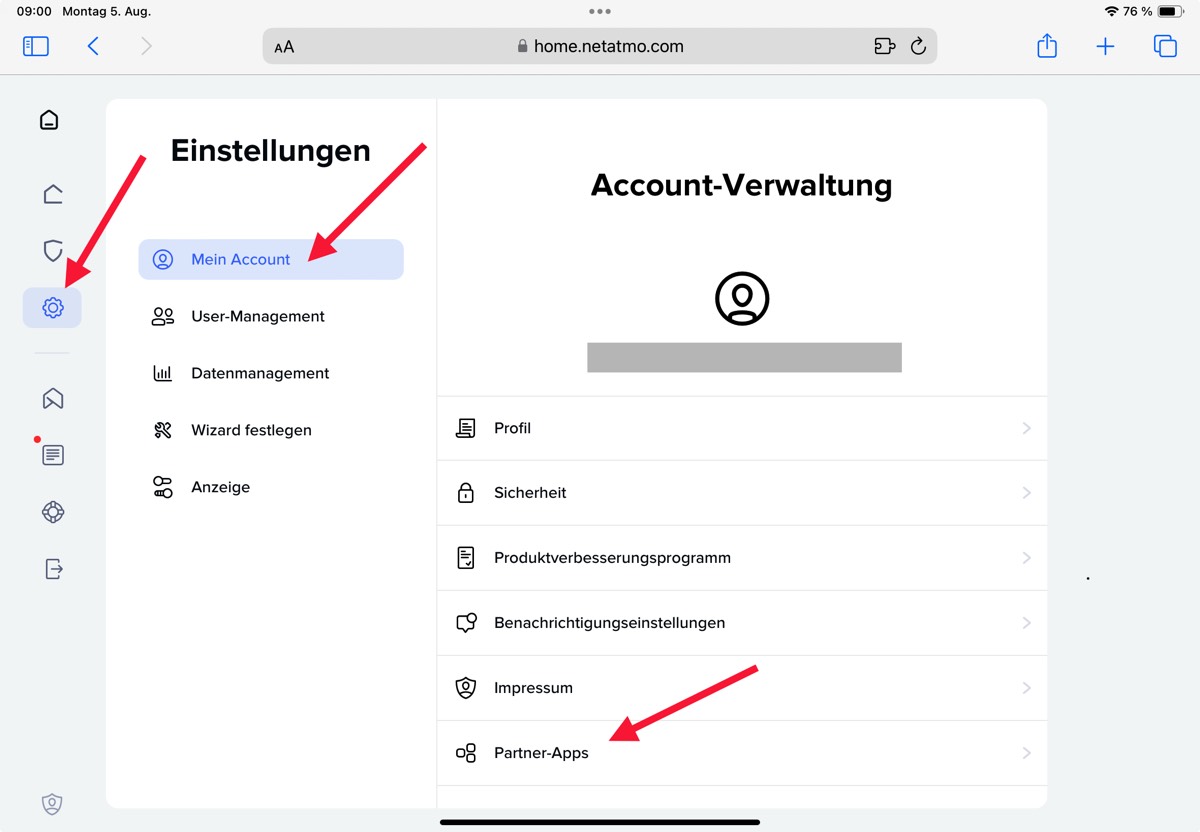
Navigate to Settings -> My account -> Partner-Apps and remove all entries for Netmo Classic.
You can then leave the website again and carry out a new authorisation in Netmo Classic.
If the authorisation button is not displayed, open the Netmo Classic settings and click on “Log out”