
Backups
It’s easy to import / export the database file of Better Battery 2 (e.g. after a complete reinstall of macOS). You can export/backup the database manually, but Better Battery 2 also makes automatic backups and keeps them for two weeks.
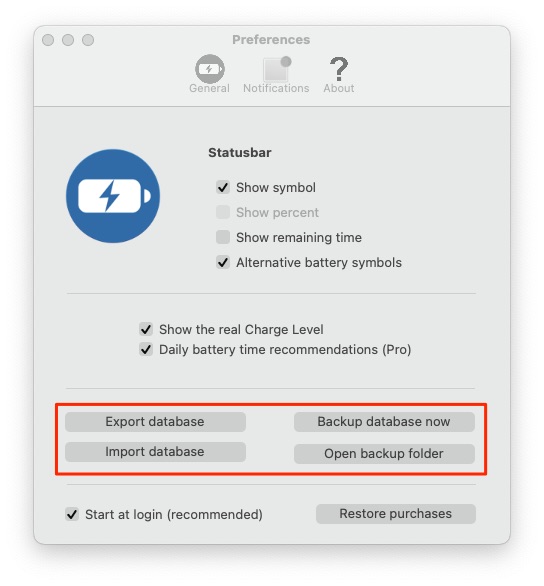
Manual export of the database file:
- Open Better Battery 2 and go to the Settings
- Click “Export database” und save it anywhere (e.g. Desktop)
Import a backup:
- Open Better Battery 2 and go to the Settings
- Click “Import database” and choose the backup file
- Restart Better Battery
The button “Backup database now” saves a copy of the database directly in the backup folder (without a save dialog).