
Netmo Classic: delete the container
For this, Netmo Classic needs to be closed first (if that doesn’t work, use the Activity Monitor to force-quit it).
- Open Finder
- Press and hold the “Option” key and choose “Go” and “Library” from the menu bar
- Navigate to the “Containers” folder
- Delete the “Netmo” folder or the “at.agross.netmo” folder (depending on your macOS version)
- Important: now restart your Mac!
- Start Netmo Classic again
The following screenshots explain once more how to delete Netmo Classic’s settings folder.
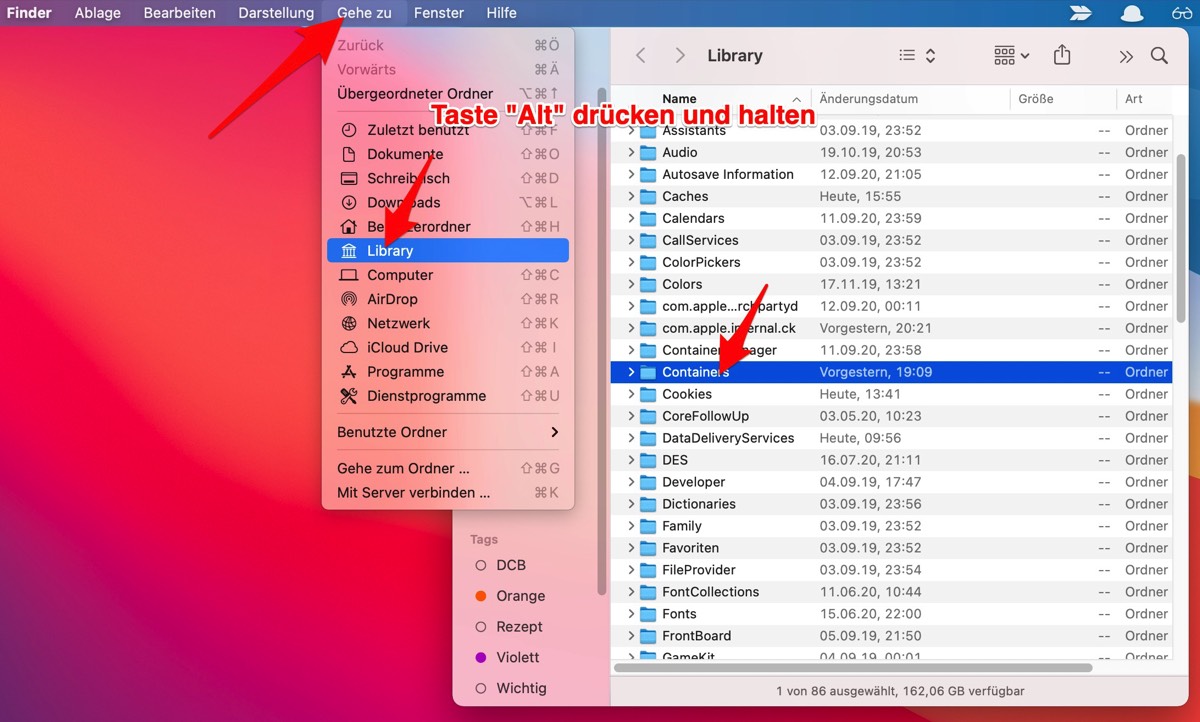
Open Finder. Press and hold the “Option” key. In the menu, choose “Go” and “Library”.
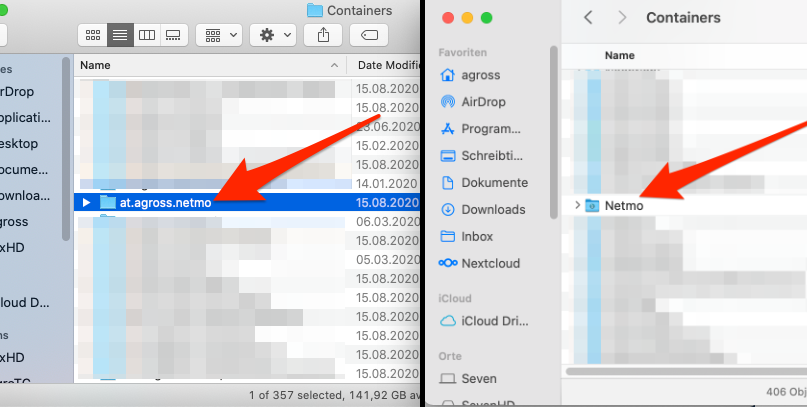
Delete the “at.agross.netmo” folder or “Netmo” folder (from Big Sur onward).