
Where is Netmo Classic?
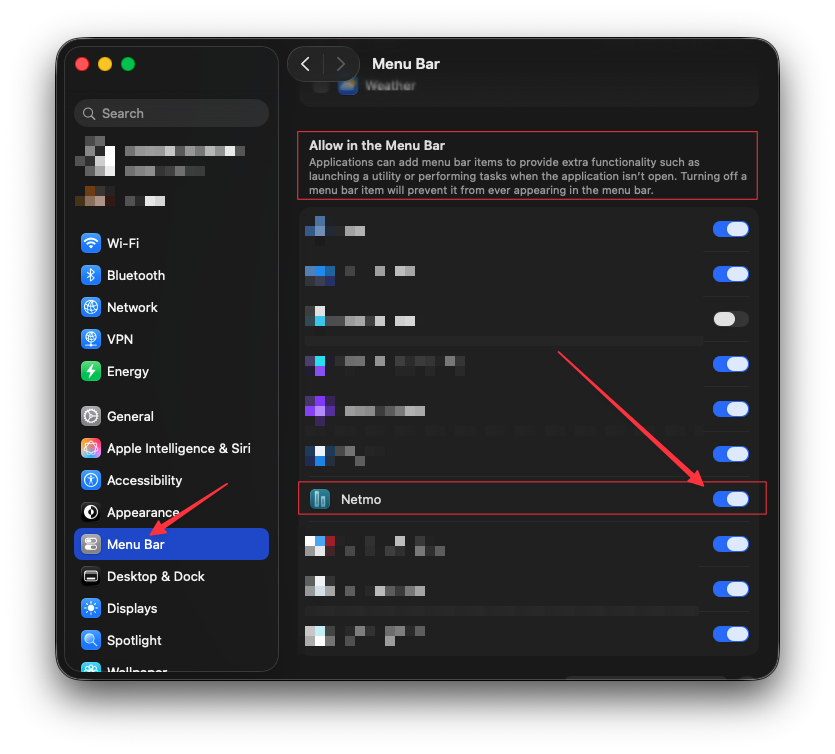
If Netmo Classic does not appear in the menu bar, please check the ‘Menu Bar’ section within the macOS System Settings to ensure the app is enabled for display.

Netmo Classic is a menu bar app. There is no dock icon or application window. Click it in the menu bar and the detail window opens.
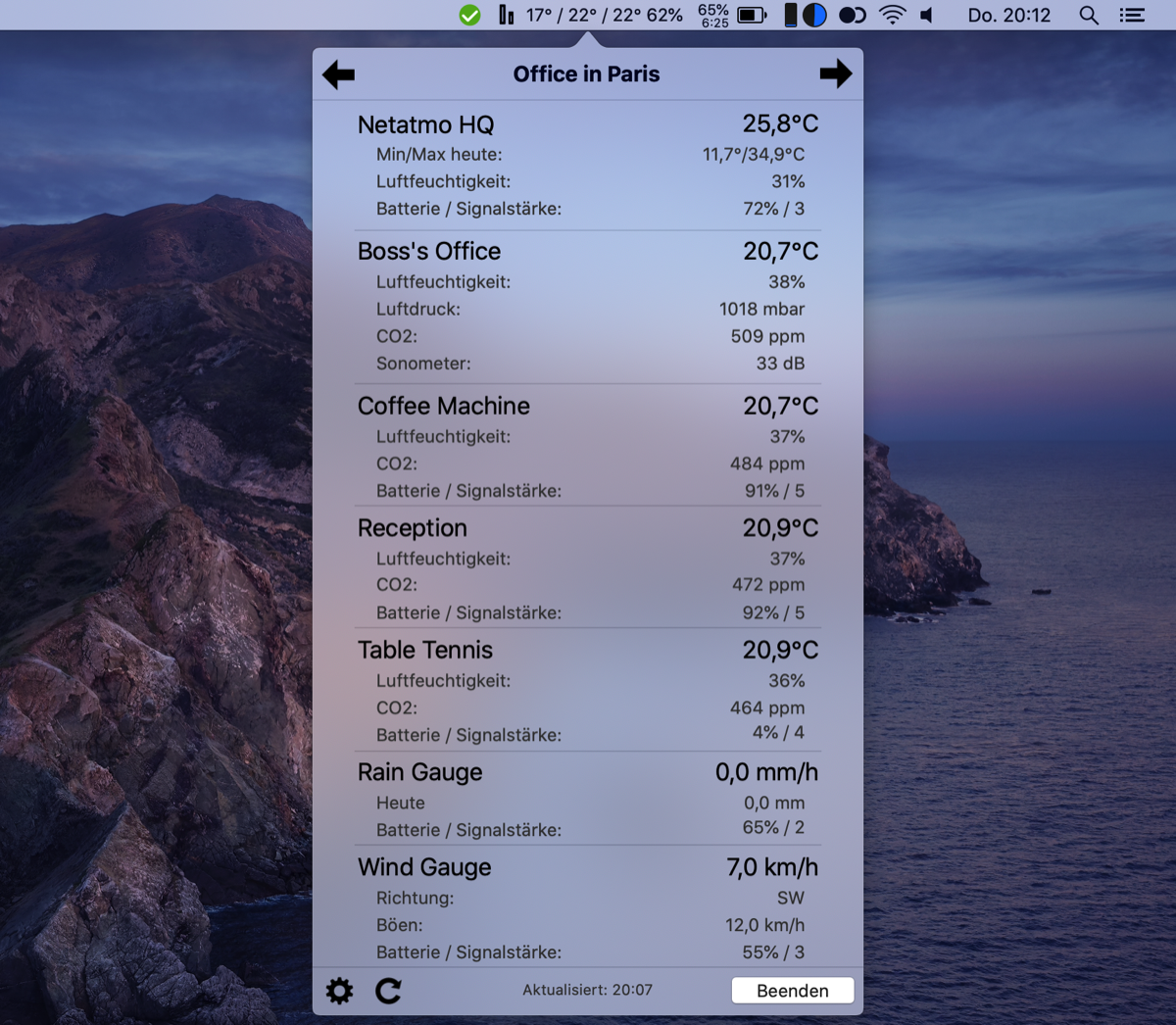
But sometimes, you can’t see the app in the menubar. So what is the problem?
Please try following steps:
- Open the Mac App Store
- Do you see Netmo Classic now?
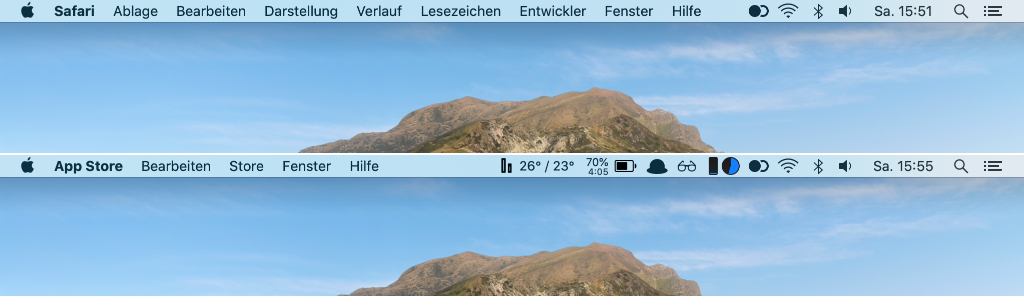
- What happens if you open e.g. Safari? Is Netmo Classic still visible?
There is a simple reason for this. If you open an application with a lot of menu items (like Safari), it’s possible, that these menu items hides the menubar apps on the right side of the menubar. This is a normal behaviour of macOS - the menu items of the active application are always visible.
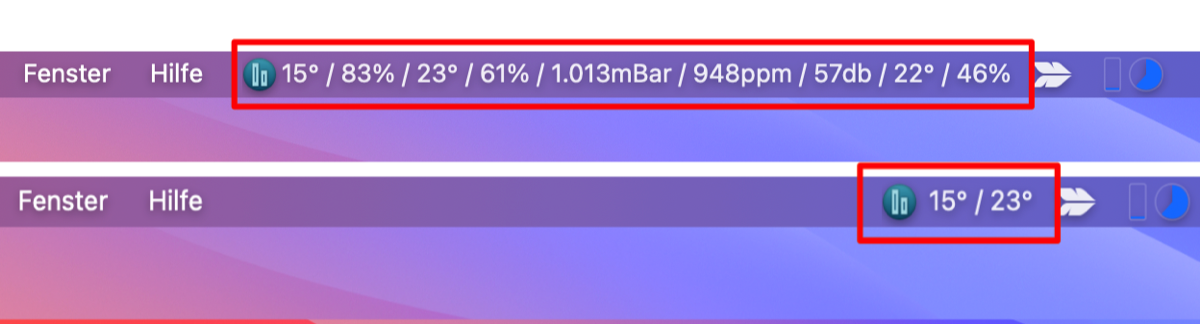
You should also be careful not to have too many values displayed by Netmo Classic in the menu bar at the same time. If it needs too much space, it gets hidden!
It is best to display only the most important values. The less space you use, the more space is left in the menu bar and the later the values from Netmo Classic are overlaid and hidden.