Press – Focus one
Focus one is the personal task manager for iPhone, iPad and Mac, also optimized for iPhone Duo. It keeps tasks and projects apart by life and work area, such as work, family, clubs or studies. Find the fact sheet, press release, images and contact details for your coverage here.
Fact sheet
Your life has many areas. So does your to-do app. Focus one is the personal task manager for iPhone, iPad and Mac, also optimized for iPhone Duo. It keeps tasks and projects apart by life and work area, such as Office, Home, Family, Club or Studies. Switch the Area and lists, counters and projects show only what is going on there.
| App | Focus one |
| Platforms | iPhone, iPad and Mac, also optimized for iPhone Duo (iOS and iPadOS 17.6 or later, macOS 14.6 or later) |
| Price | Free to use, with no limit on tasks, projects or Areas. Pro (monthly, yearly with a 14-day trial, or one-time Lifetime) unlocks additional features. One purchase covers all platforms; current prices are in the App Store. |
| Developer | agross Software e.U., Austria |
| App Store | Focus one on the App Store |
| Website | agross.at/en/focus-one |
| Help | agross.at/en/focus-one/help |
| Privacy | agross.at/focusone/privacy |
| Support / Press | info@agross.at |
Highlights
- Areas as the top level, each with its own color and symbol; switching adapts lists, counters and projects
- One Inbox for everything: new items land in the Inbox that spans all Areas, and you file them later
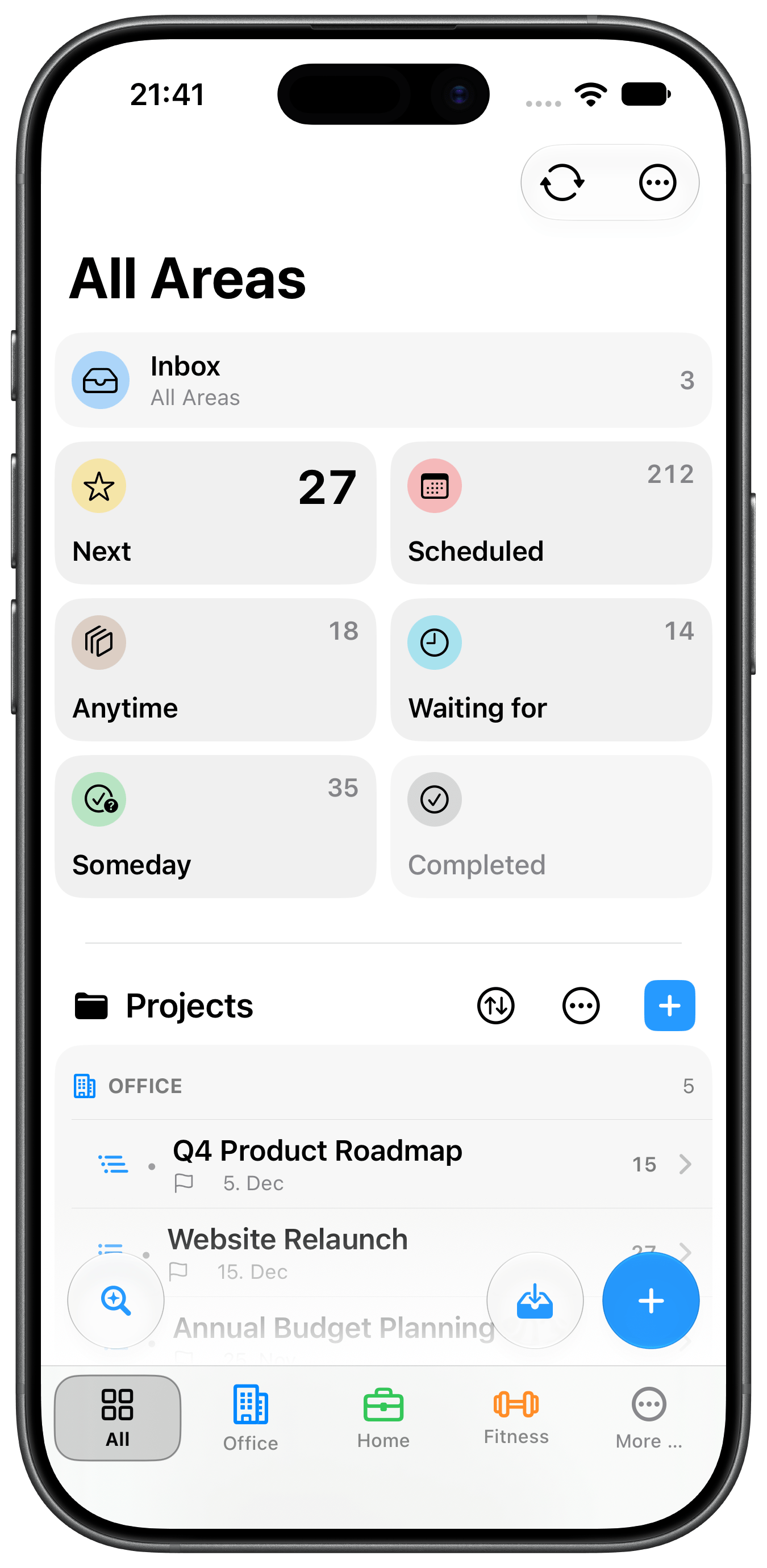
- Classic lists: Next, Scheduled, Waiting for, Anytime, Someday, plus the Focus list for the two or three tasks to do now
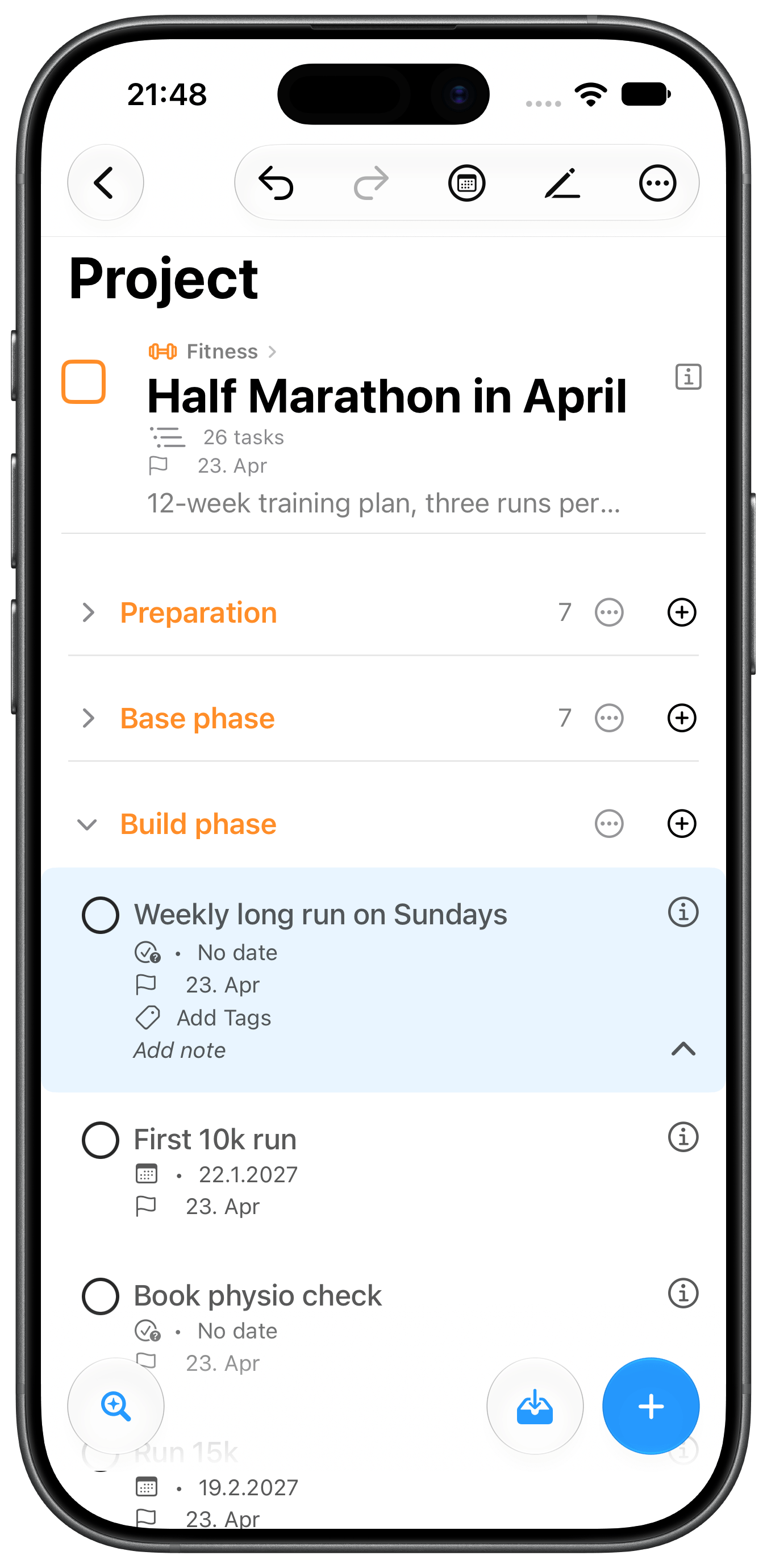
- Projects parallel or serial, optionally inactive with a date to come back, with regular review
- Plan: due dates, deadlines with lead time, “Show from”, repeating tasks, reminders, calendar events
- Capture fast: Quick Add, Siri, share extension, and on the Mac Quick Capture with a keyboard shortcut from anywhere plus Mail Drop via drag & drop
- Widgets, controls and Shortcuts for the Home and Lock Screen, Control Center and the Action button
- Organize: tags, checklists, attachments (photo, scan, file, link), project templates with YAML export and import
- Switching over: import from Apple Reminders
- Private: iCloud sync with no account and no server of our own, free Markdown export
Free and Pro
Tasks, projects and Areas are unlimited in the free version, as are all standard lists, repeating tasks, reminders and iCloud sync. Pro unlocks, among other things, attachments, calendar events, serial projects, project review, multi-select, Mac Quick Capture, Mail Drop, Monochrome mode and templates via YAML. Everything you have created stays visible and usable without Pro. The full comparison is in the help section.
Languages
The app is available in German, English, Spanish, French and Italian. The website and help section are available in German and English.
Press Release
Focus one: the task manager for iPhone, iPad and Mac that sorts your life into Areas
Garsten, Austria – agross Software e.U. develops Focus one, a personal task manager for iPhone, iPad and Mac, also optimized for iPhone Duo. The app keeps tasks and projects apart by life and work area, such as Office, Home, Family, Club or Studies. Switch the Area and lists, counters and projects show only what matters there right now.
Areas instead of one big pile In Focus one, Areas are the top level. Each gets its own name, color and symbol. “Next” in Office shows something different than “Next” in Family. When you need the big picture, switch to “All Areas”. New items land in an Inbox that spans all Areas first, and you file them later. Areas, projects and tasks are unlimited, even in the free version.
From thought to done Focus one follows a simple flow: capture, sort, do. It comes with the classic lists Next, Scheduled, Waiting for, Anytime and Someday, plus a Focus list for the two or three tasks to do now. Projects are parallel or serial, can be set to inactive, and gently remind you of regular review.
Captured fast, always at hand Tasks come in through Quick Add, Siri, the share extension, or widgets and controls for the Home and Lock Screen, Control Center and the Action button. Shortcuts create tasks with list, Area, project and date. On the Mac there is also Quick Capture with a keyboard shortcut from anywhere, and Mail Drop: drag an email into the app and it lands in the Inbox. Anyone switching from Apple Reminders can import open items directly.
Private, no account Focus one syncs through the user’s private iCloud. There is no account of its own, no server of our own for tasks, no tracking and no ads. Lists and projects can be exported as Markdown for free at any time.
Free and Pro Focus one is free to use. Pro unlocks additional features, including attachments, calendar events, serial projects, project review, multi-select, Mac Quick Capture, Mail Drop and project templates via YAML. Pro is available as a monthly subscription, as a yearly subscription with a 14-day trial, and as a one-time Lifetime purchase. One purchase covers iPhone, iPad and Mac.
Availability Focus one is available on the App Store and requires iOS and iPadOS 17.6 or macOS 14.6 or later. It is also optimized for iPhone Duo. The app is available in German, English, Spanish, French and Italian. Focus one on the App Store: https://apps.apple.com/app/todo-task-manager-focus-one/id6473556798
About agross Software agross Software e.U. is a one-person company based in Garsten, Austria, building apps for Mac, iPhone and iPad: Netmo, Netmo 2, Focus one and Better Battery 2. More: https://agross.at
Press contact Andreas Großauer · agross Software e.U. · info@agross.at · https://agross.at Screenshots, icon and Pro access for testing on request or in the press kit: https://agross.at/en/focus-one/press
About the developer
Andreas Großauer is the owner of agross Software e.U. (Garsten, Austria) and develops apps for Mac, iPhone and iPad. His apps include Netmo (now “Netmo Classic”), Netmo 2, Focus one and Better Battery 2.
Website: agross.at · Contact: info@agross.at
FAQ
What is Focus one? A personal task manager for iPhone, iPad and Mac (also optimized for iPhone Duo) that keeps tasks and projects apart by life and work area.
What is an Area? An area of life (Office, Home, Family), an area of work (IT, Purchasing) or a collection of related projects (building a house, a move). Areas are the top level for projects and tasks; switching adapts lists, counters and projects. Using Areas is optional: tasks and projects can stay without an Area.
Does Focus one cost anything? The app is free to use, with no limit on tasks, projects or Areas. Pro unlocks additional features and is available as a monthly subscription, as a yearly subscription with a 14-day trial, and as a one-time Lifetime purchase. One purchase covers iPhone, iPad and Mac. Everything created without Pro stays visible and usable after it ends.
Do I need an account? No. Focus one has no accounts of its own. Sync runs through your private iCloud.
Which devices and system versions are supported? iPhone and iPad with iOS or iPadOS 17.6 or later, and Mac with macOS 14.6 or later. Focus one is also optimized for iPhone Duo.
What data does the app collect? Focus one collects no personal data and does not track users. Tasks, projects and notes stay on the device and, if you like, in your private iCloud, which the developer cannot access. There are no ads and no third-party analytics. For purchases the app uses the RevenueCat service, which only processes an anonymous user ID and purchase data for that. Details in the privacy policy.
Can I switch over from Apple Reminders? Yes. Open items from a chosen list can be imported into the Inbox for free. With Pro the import runs automatically, from several lists, and optionally straight into a project.
Can I export my data? Yes. Lists and projects can be exported as Markdown for free. Export and import as YAML, for example for project templates, is part of Pro.
Which languages does Focus one support? The app is available in German, English, Spanish, French and Italian.
Contact and legal
Press contact
Andreas Großauer
agross Software e.U.
Herrenweidestraße 43, 4451 Garsten, Austria
info@agross.at · agross.at
Links
Required notes for publication
- Spelling of the app name: “Focus one” (lowercase “one”)
- Apple, iPhone, iPad, Mac, iCloud, Siri and App Store are trademarks of Apple Inc.; please follow Apple’s guidelines when using the App Store badge.
Use of the material
Text, screenshots, icon and logos may be used freely for editorial coverage of Focus one. Pro access for testing and reviews is available on request at info@agross.at.
Images and video
Screenshots
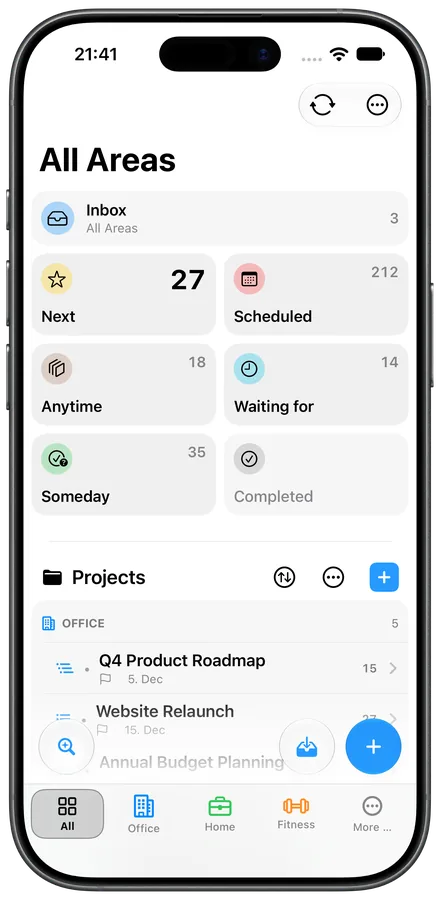 iPhone · Lists and Areas (light)Download ↓
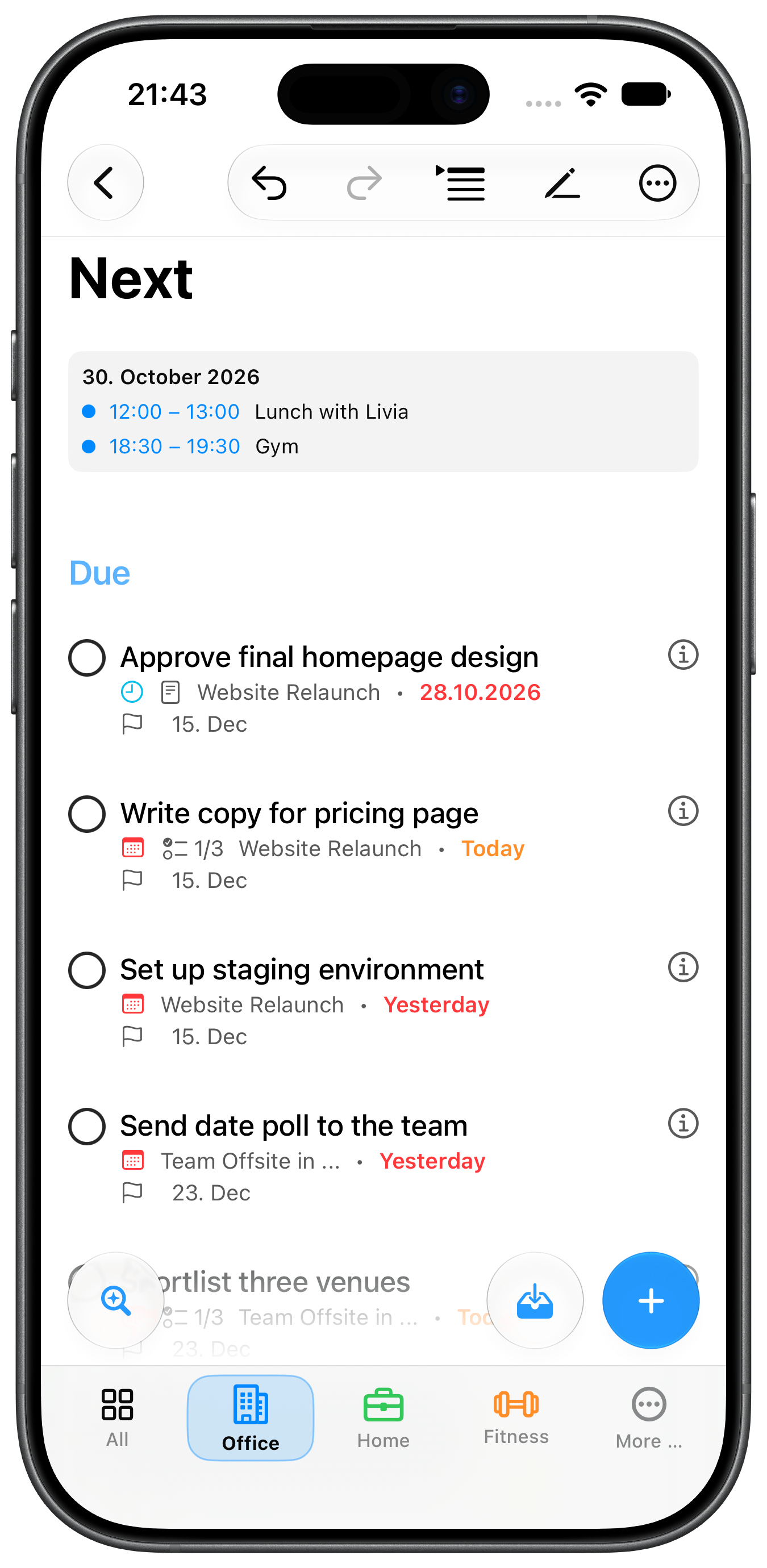
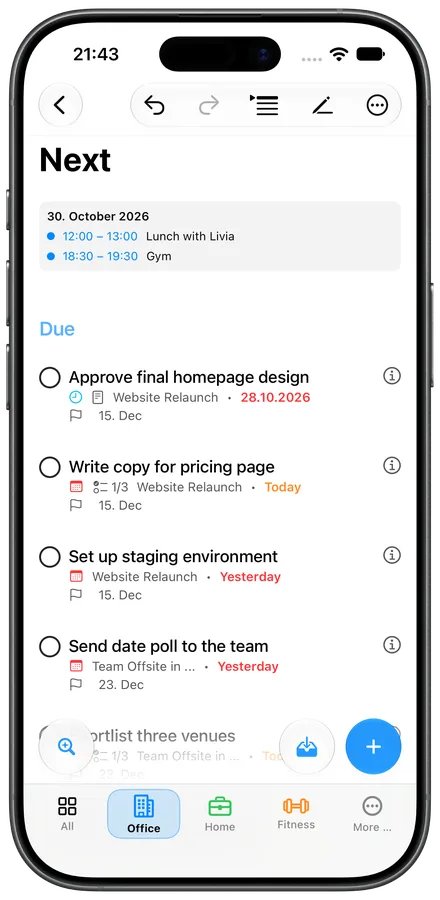 iPhone · Next (light)Download ↓
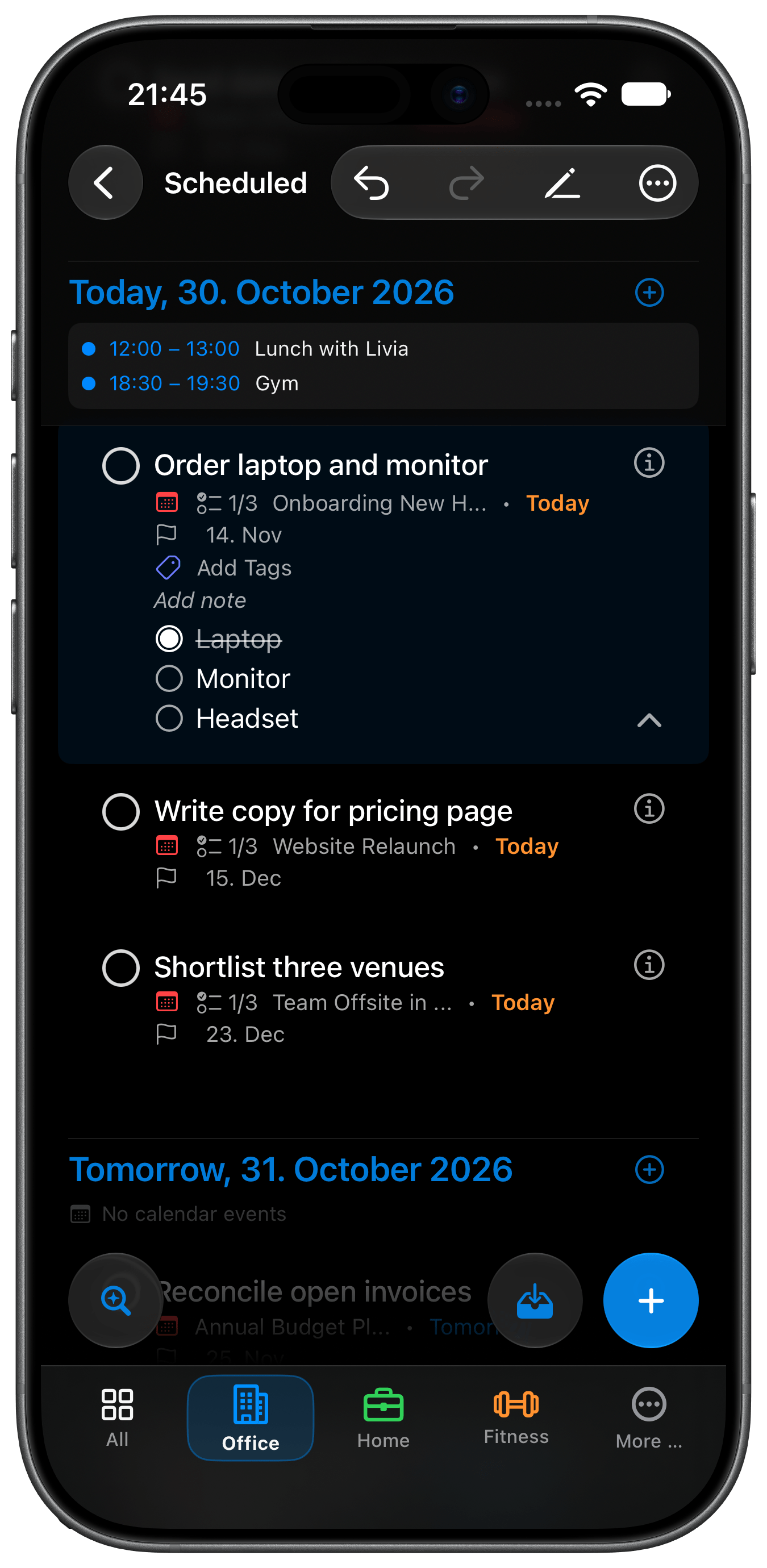
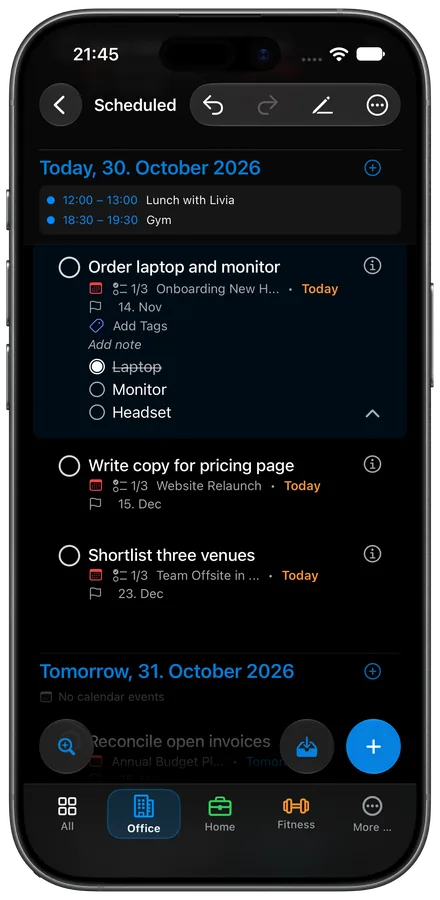 iPhone · Scheduled (dark)Download ↓
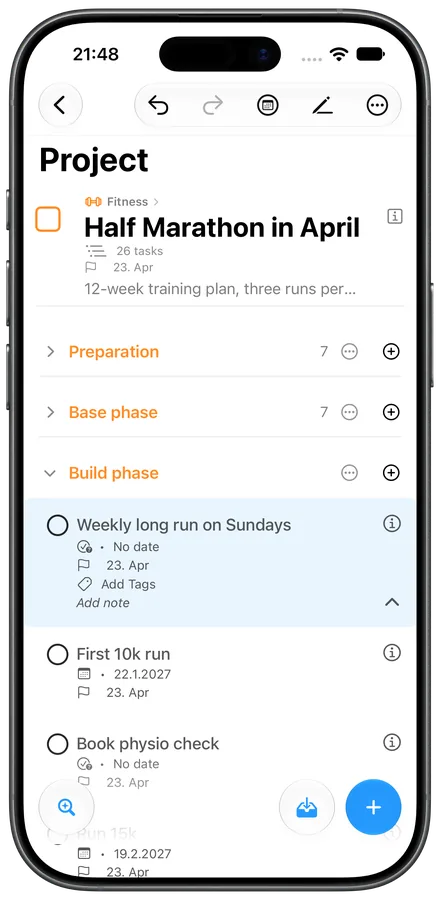 iPhone · Project (light)Download ↓
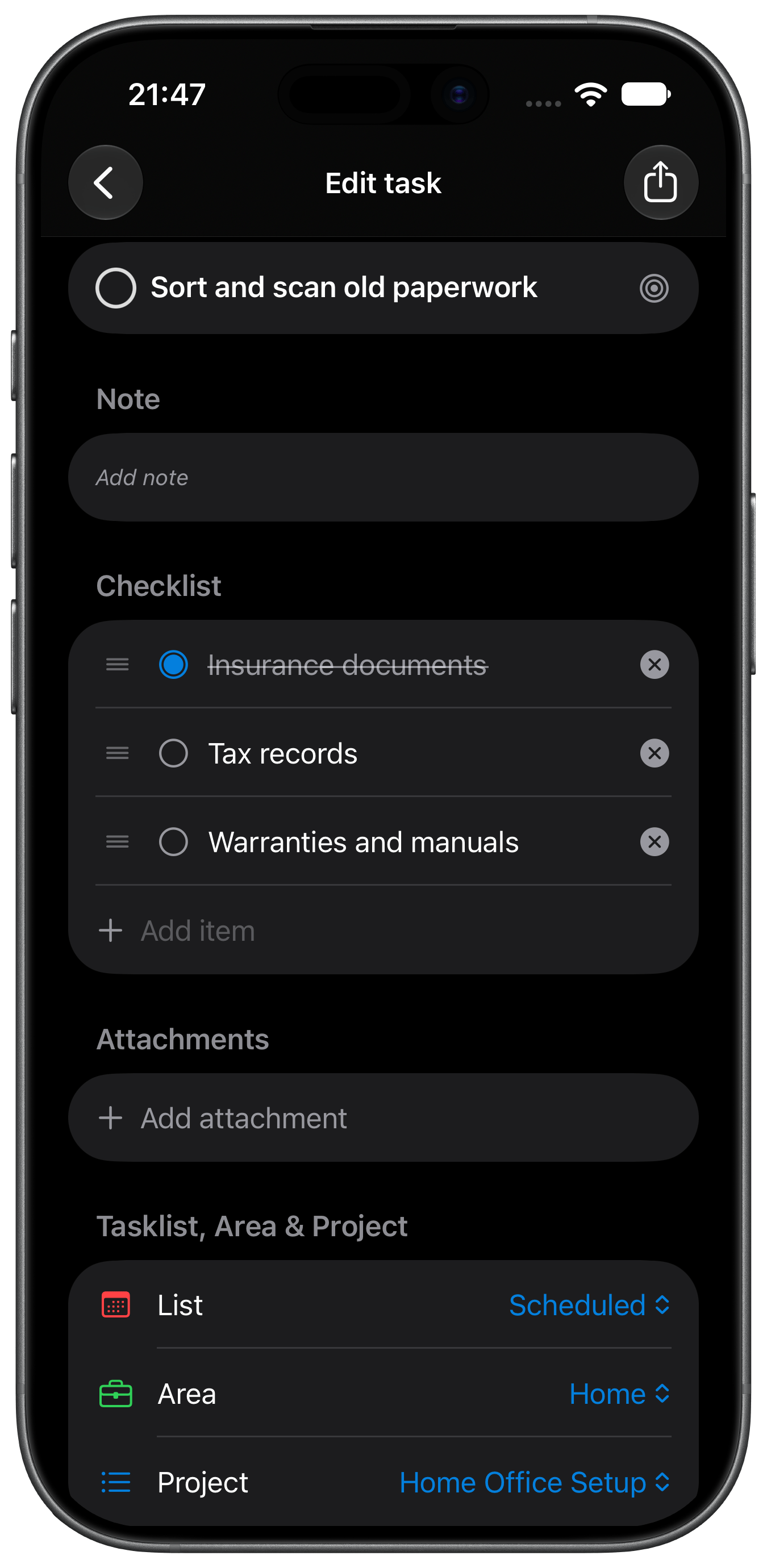
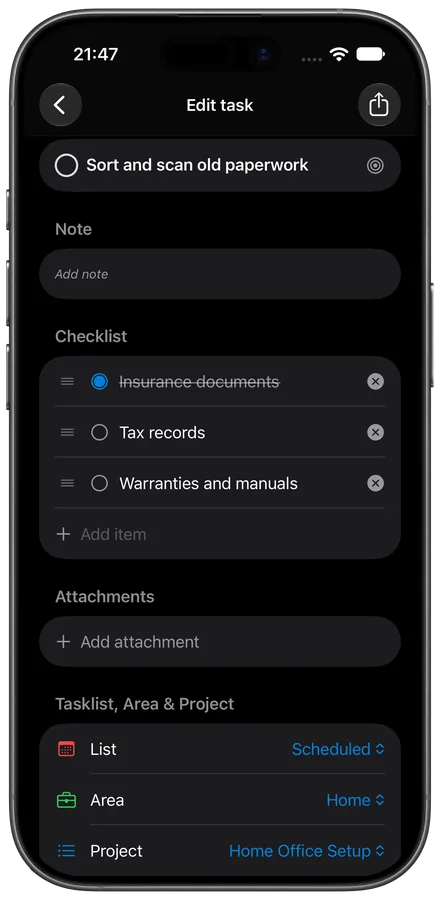 iPhone · Edit task (dark)Download ↓
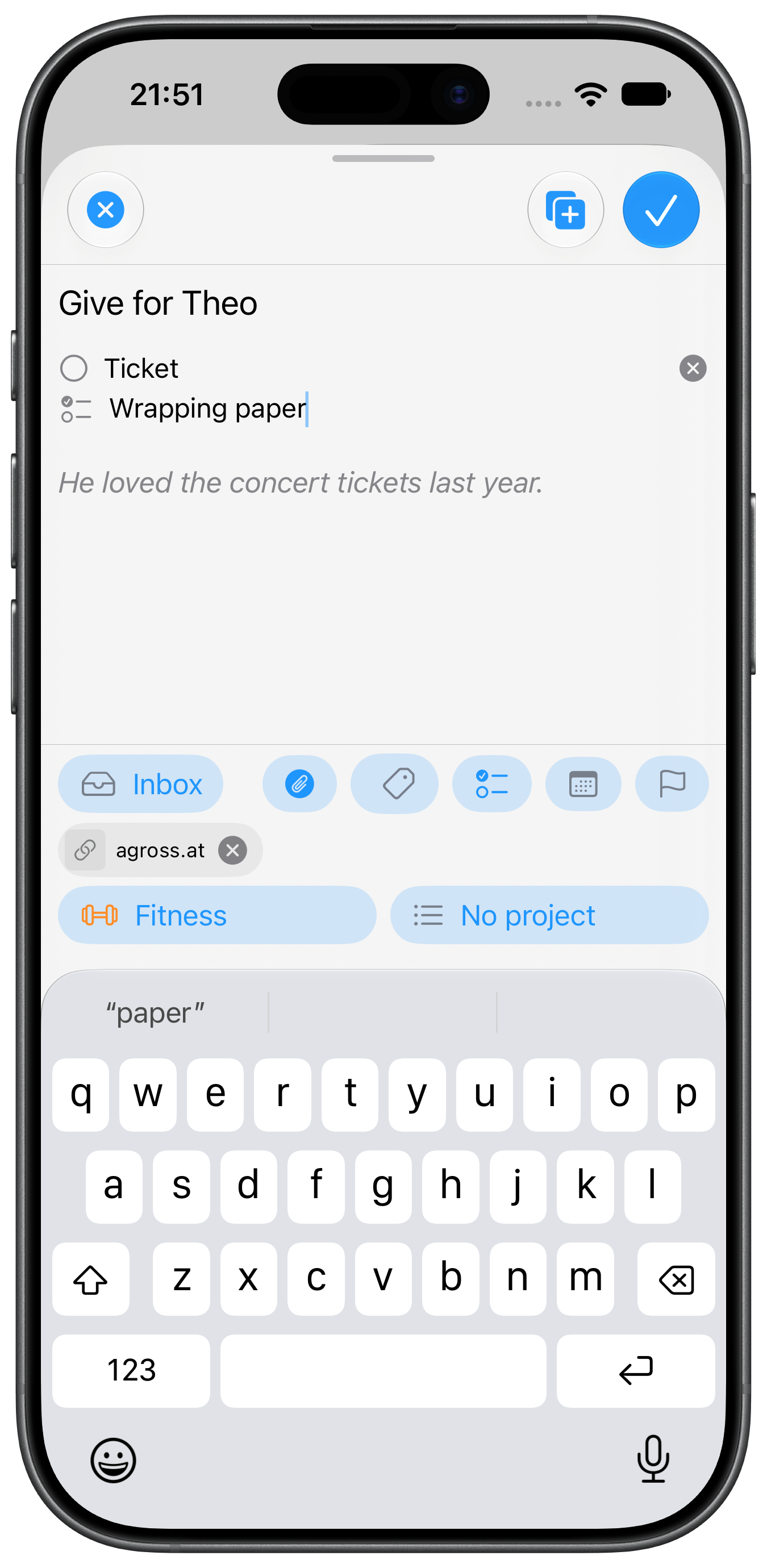
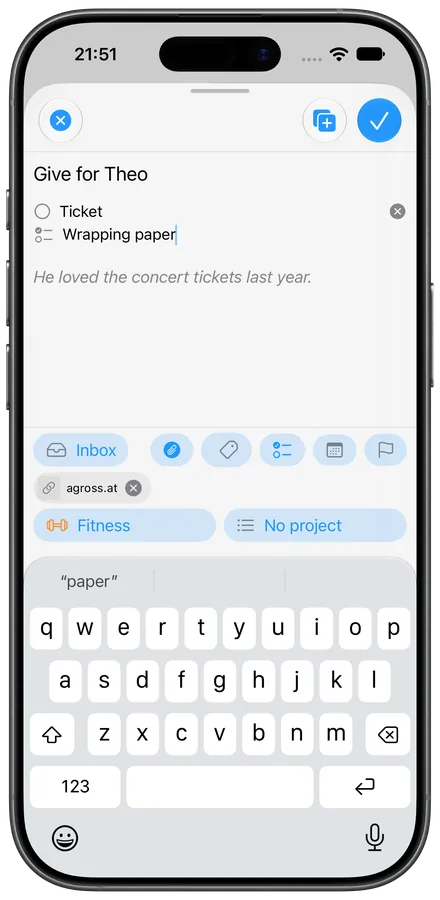 iPhone · Quick add (light)Download ↓
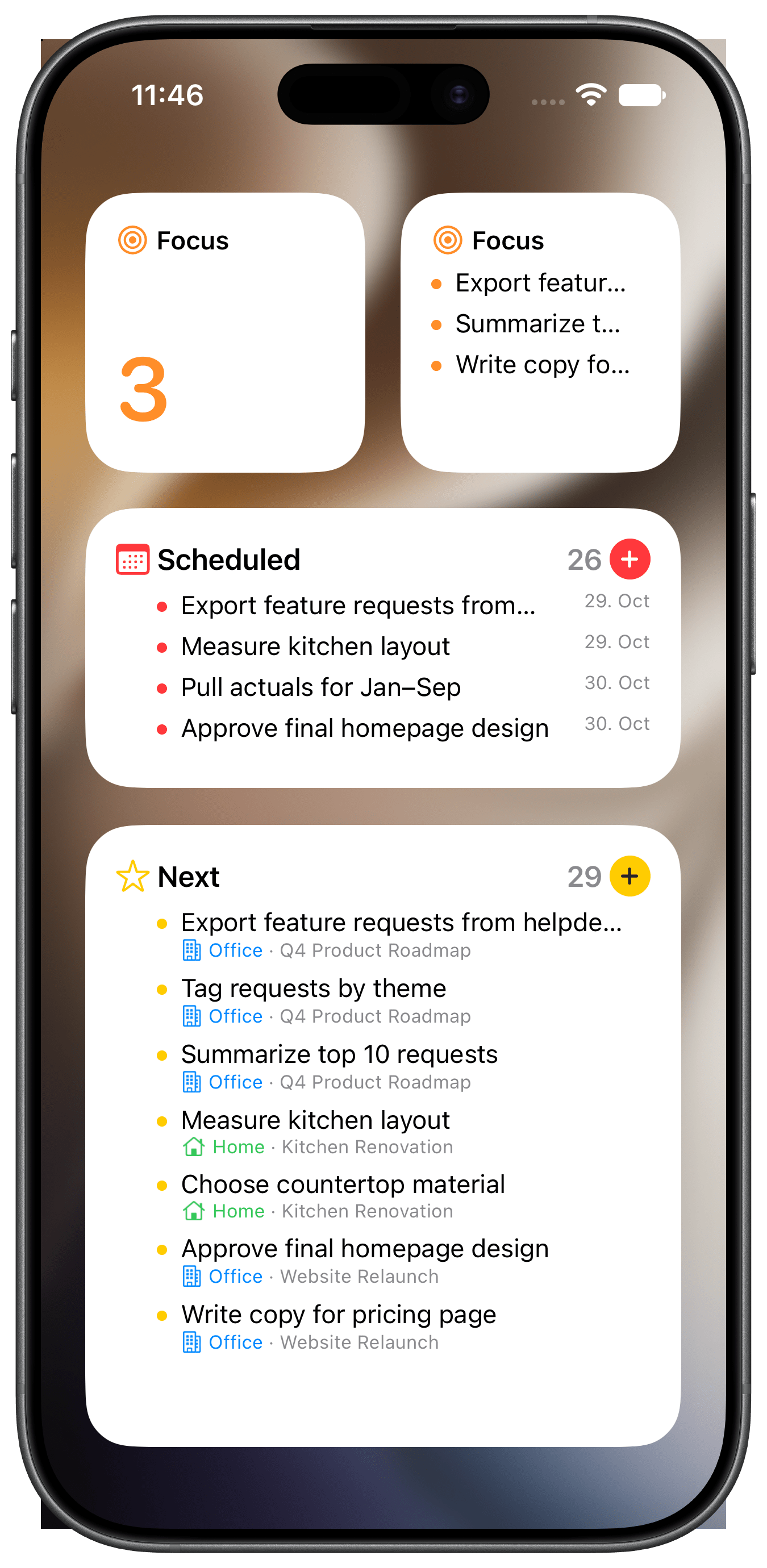
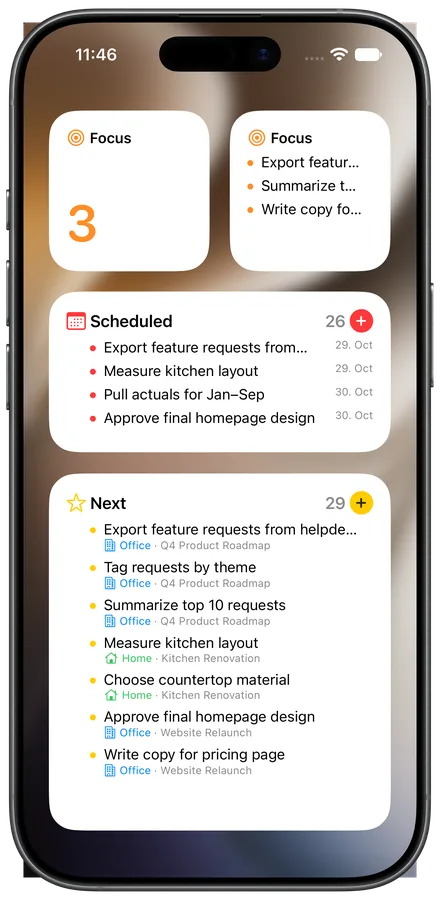 iPhone · WidgetsDownload ↓
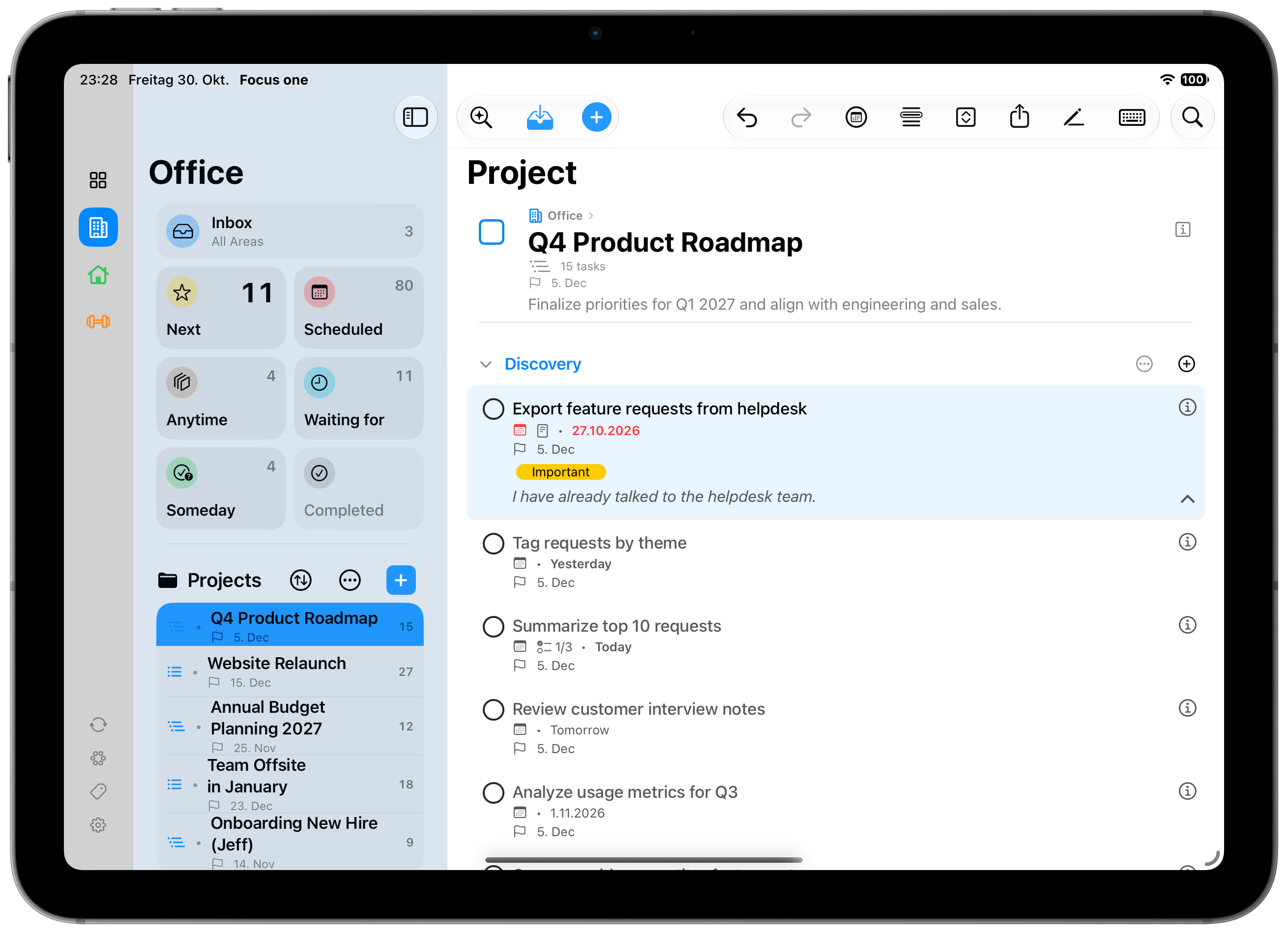
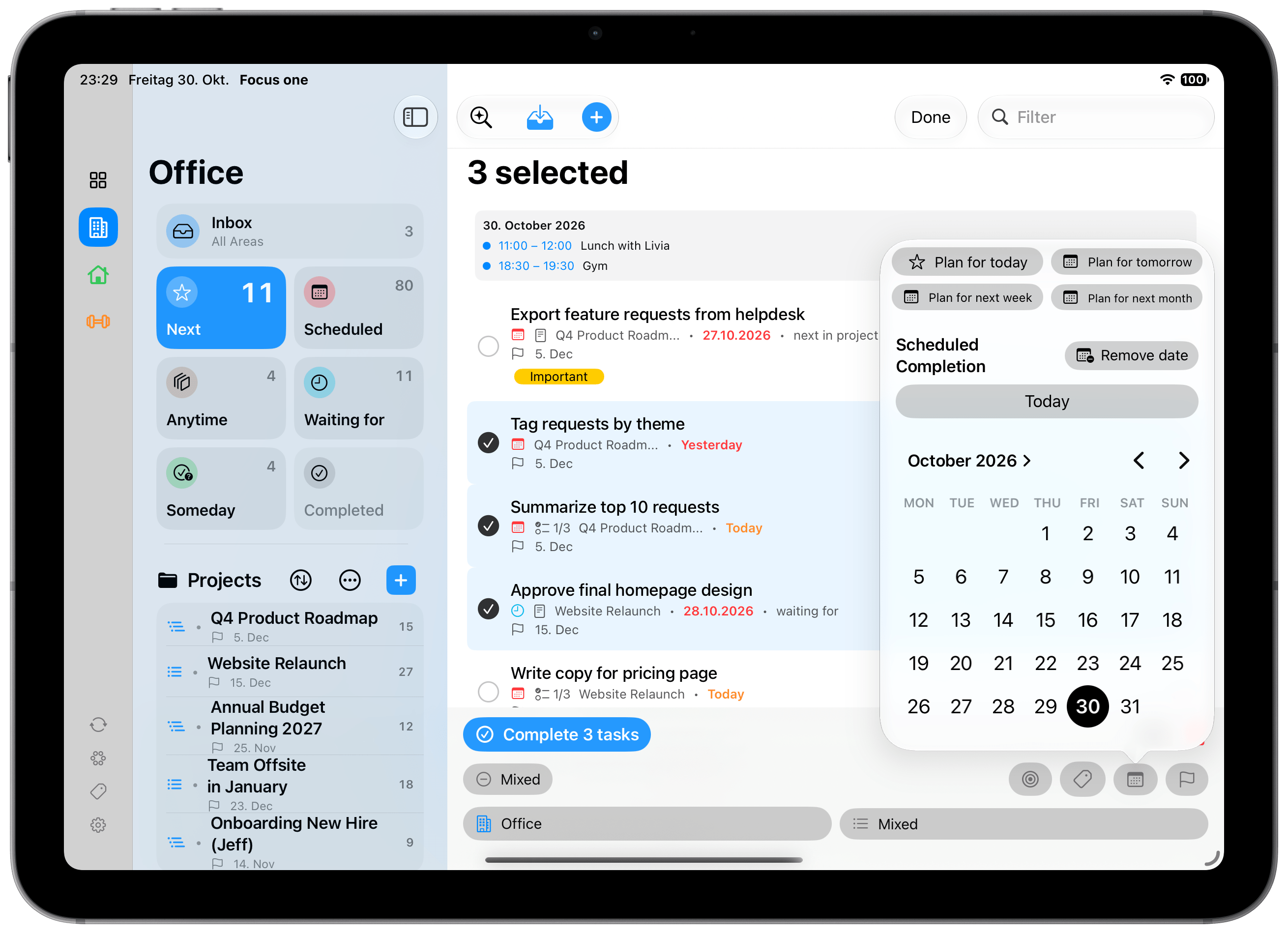
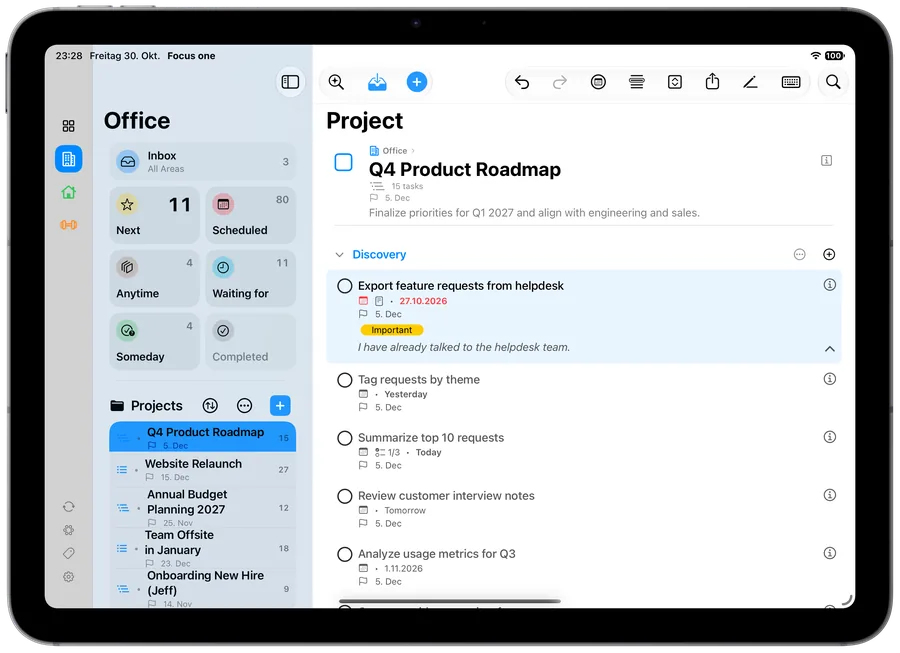 iPad · Project (light)Download ↓
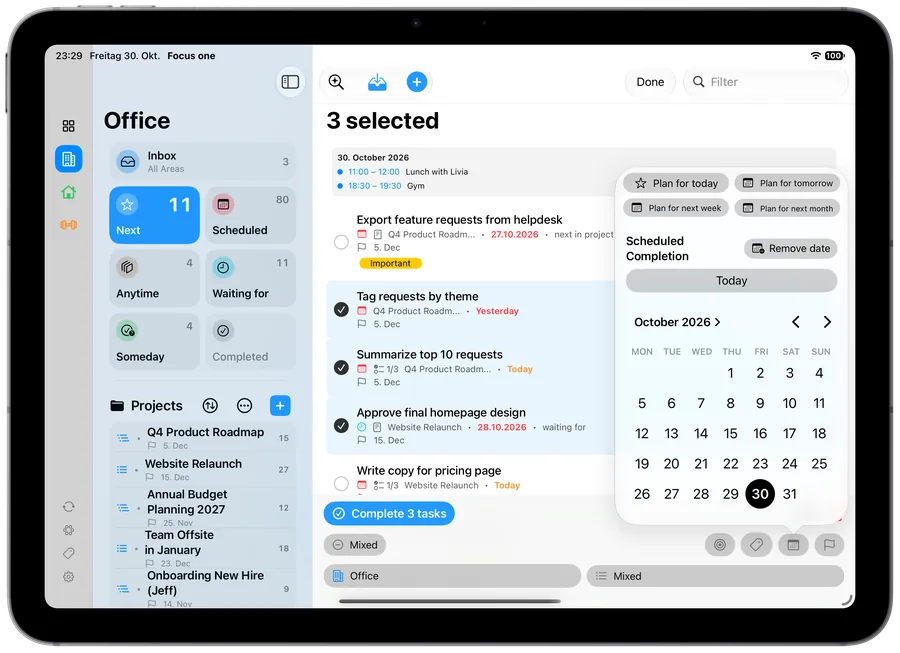 iPad · Next (light)Download ↓
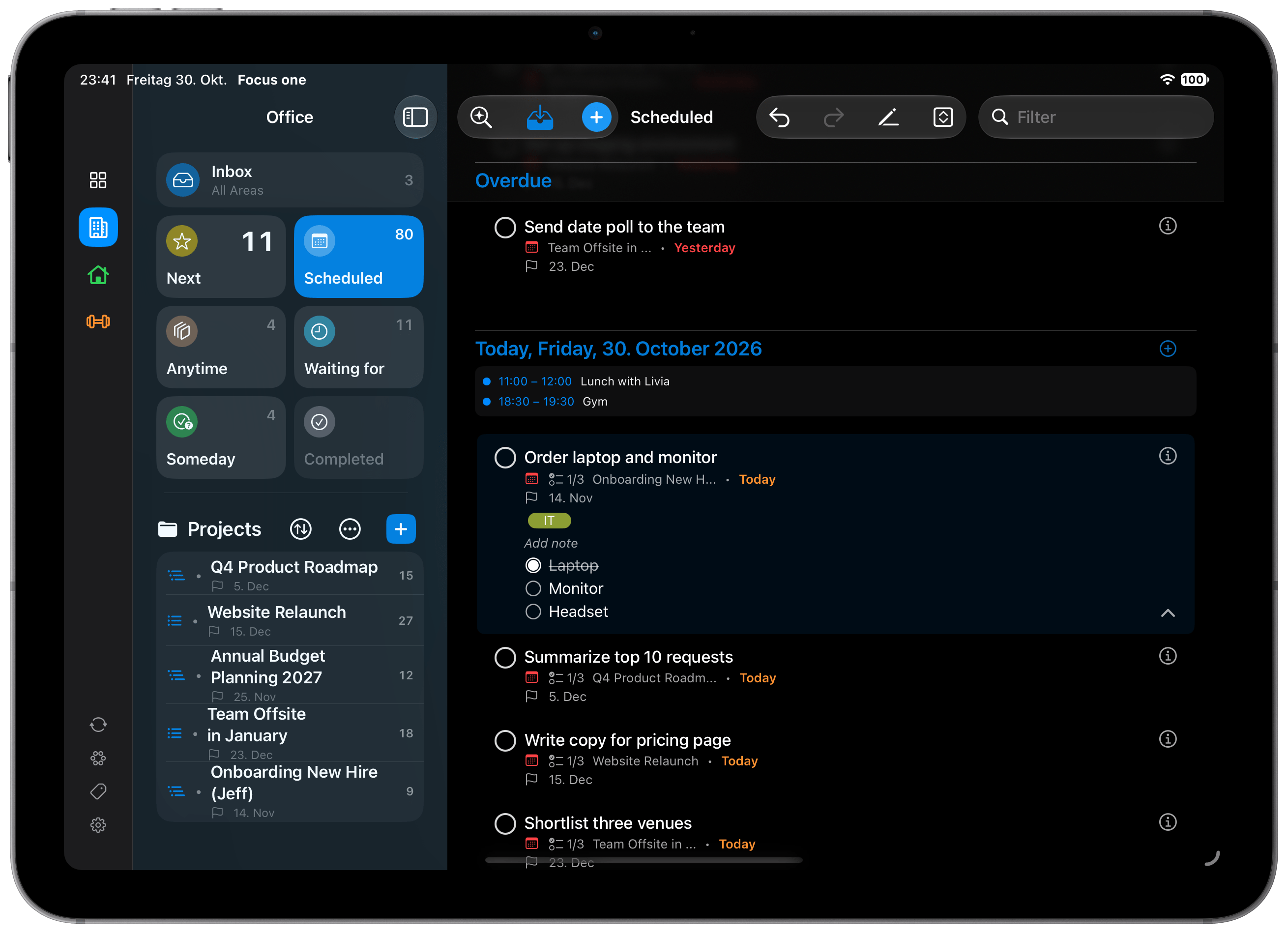
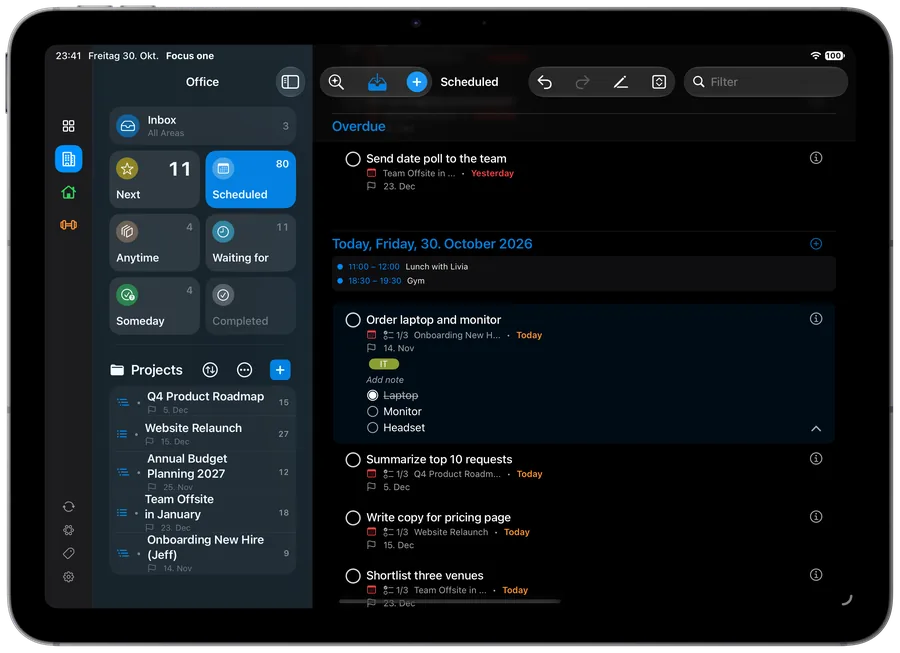 iPad · Scheduled (dark)Download ↓
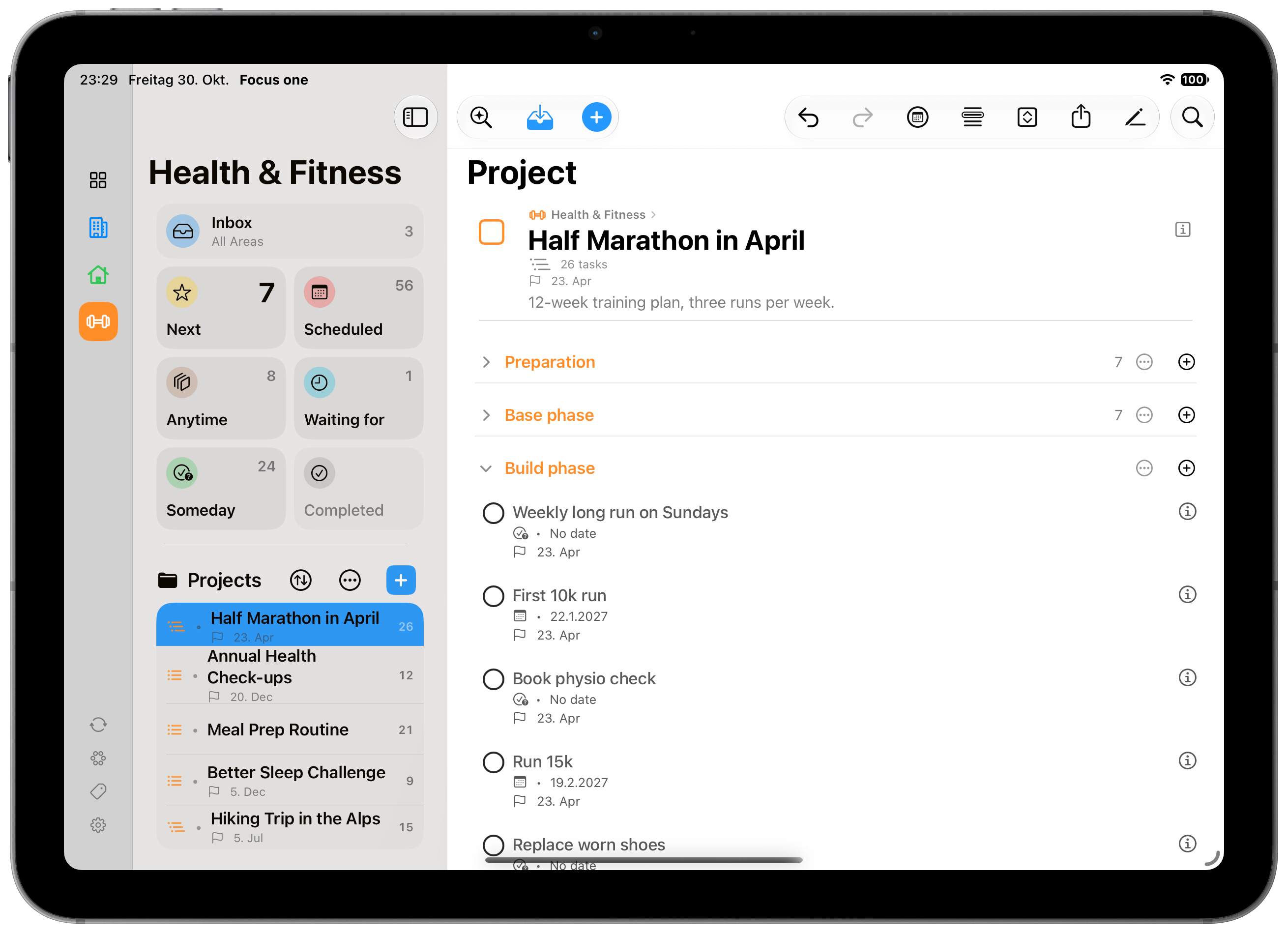
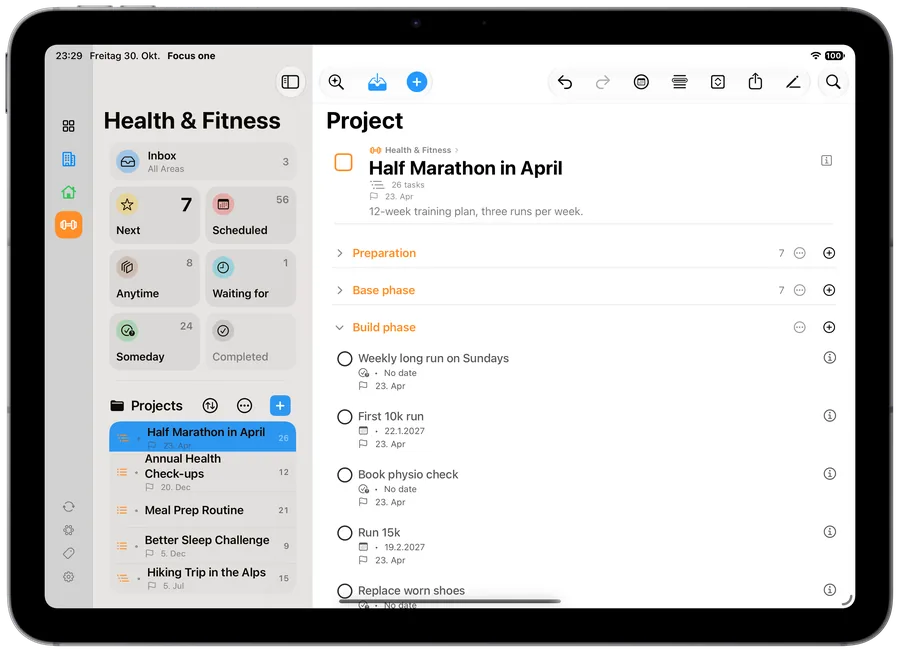 iPad · Project with headings (light)Download ↓
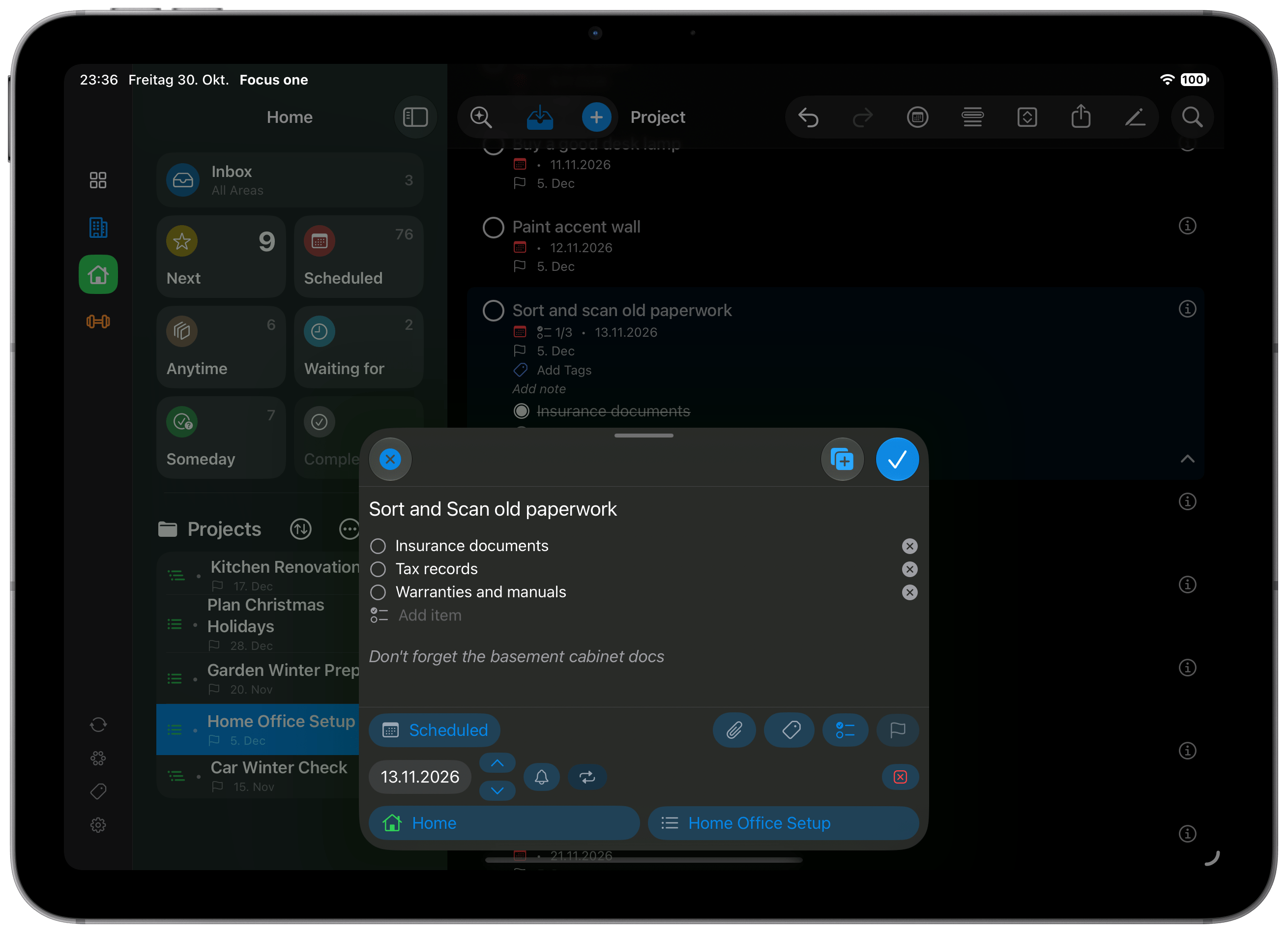
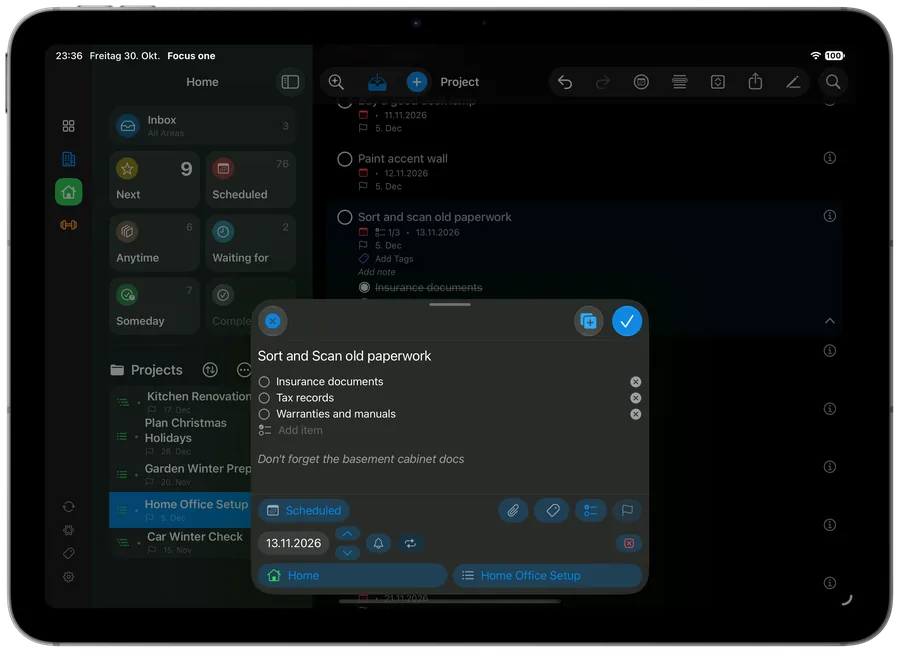 iPad · Edit task (dark)Download ↓
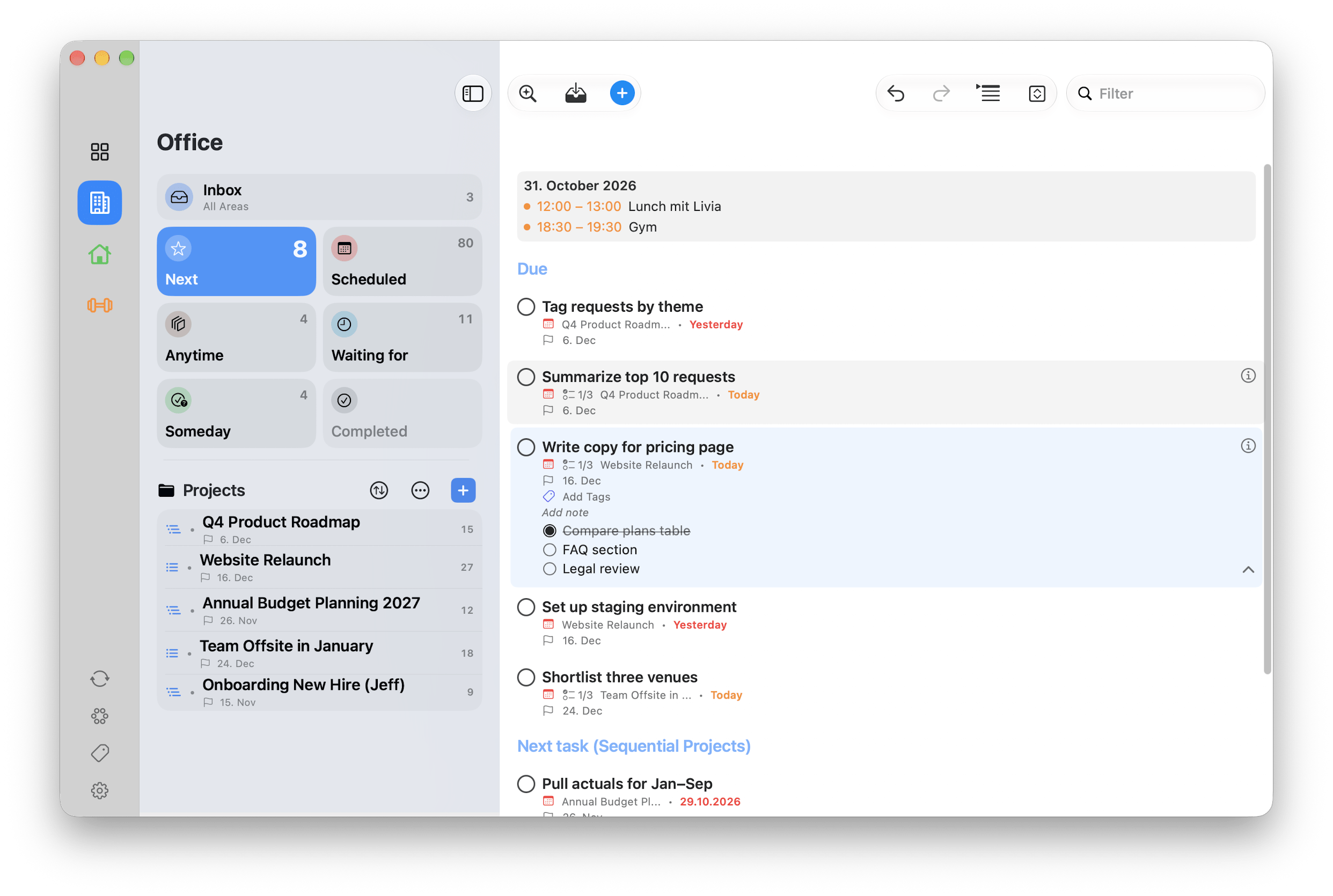
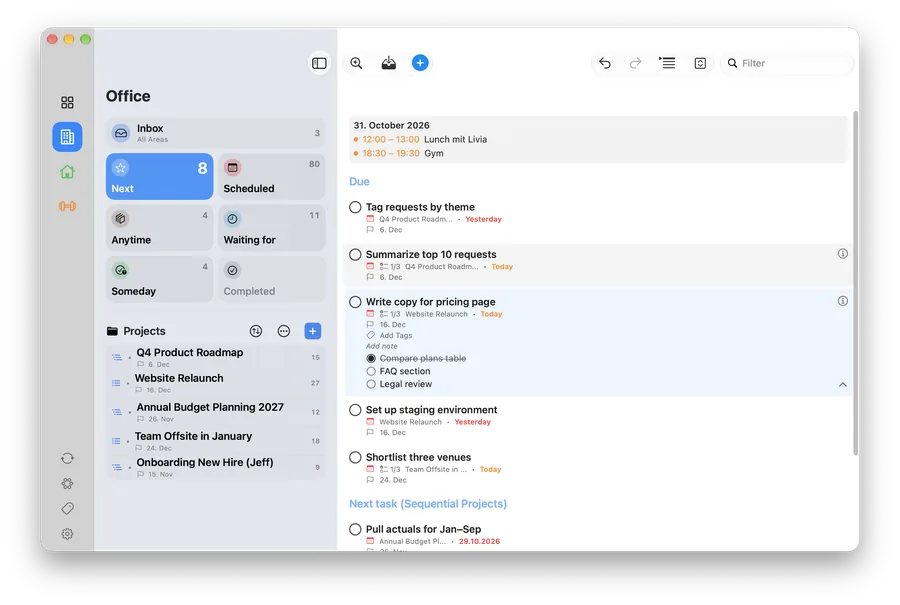 Mac · Next (light)Download ↓
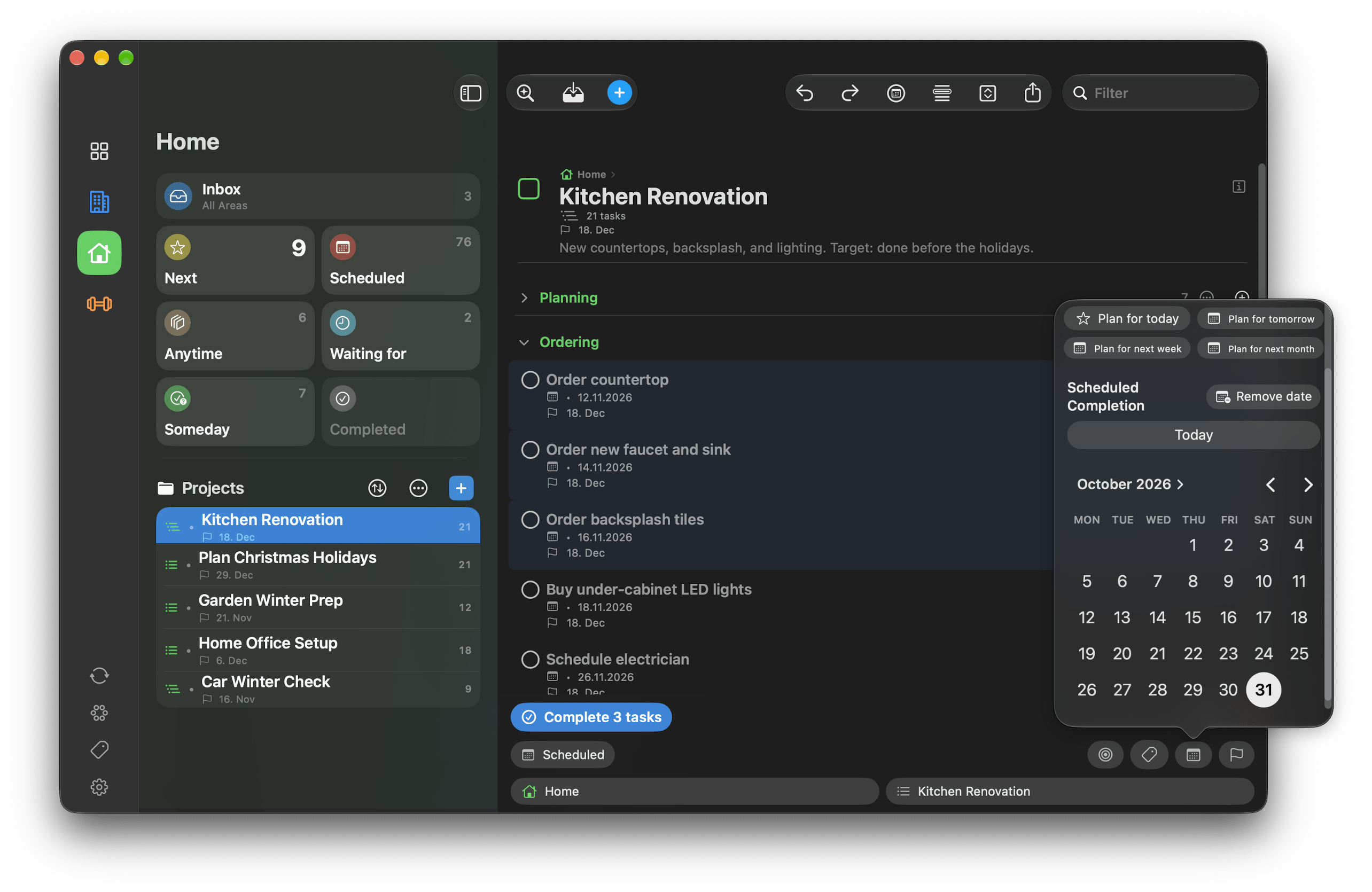
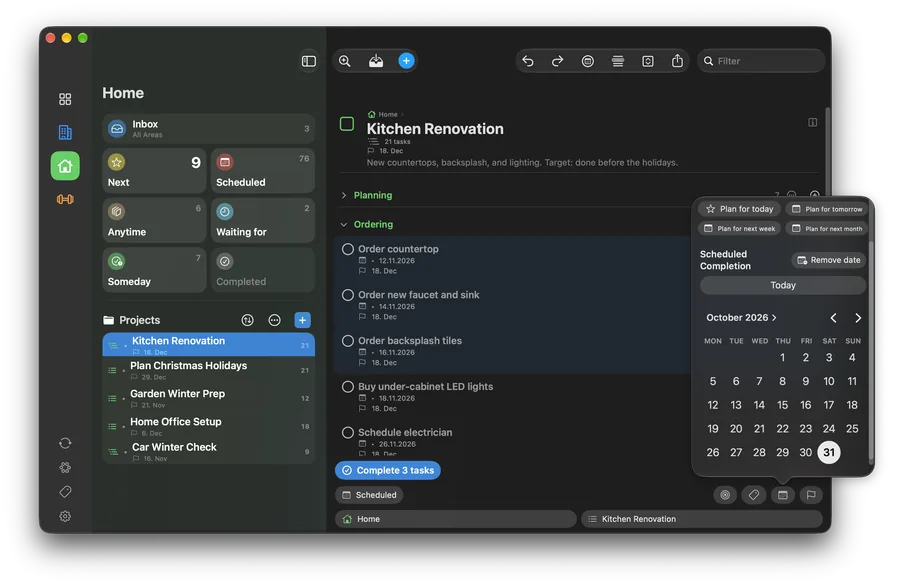 Mac · Project (dark)Download ↓
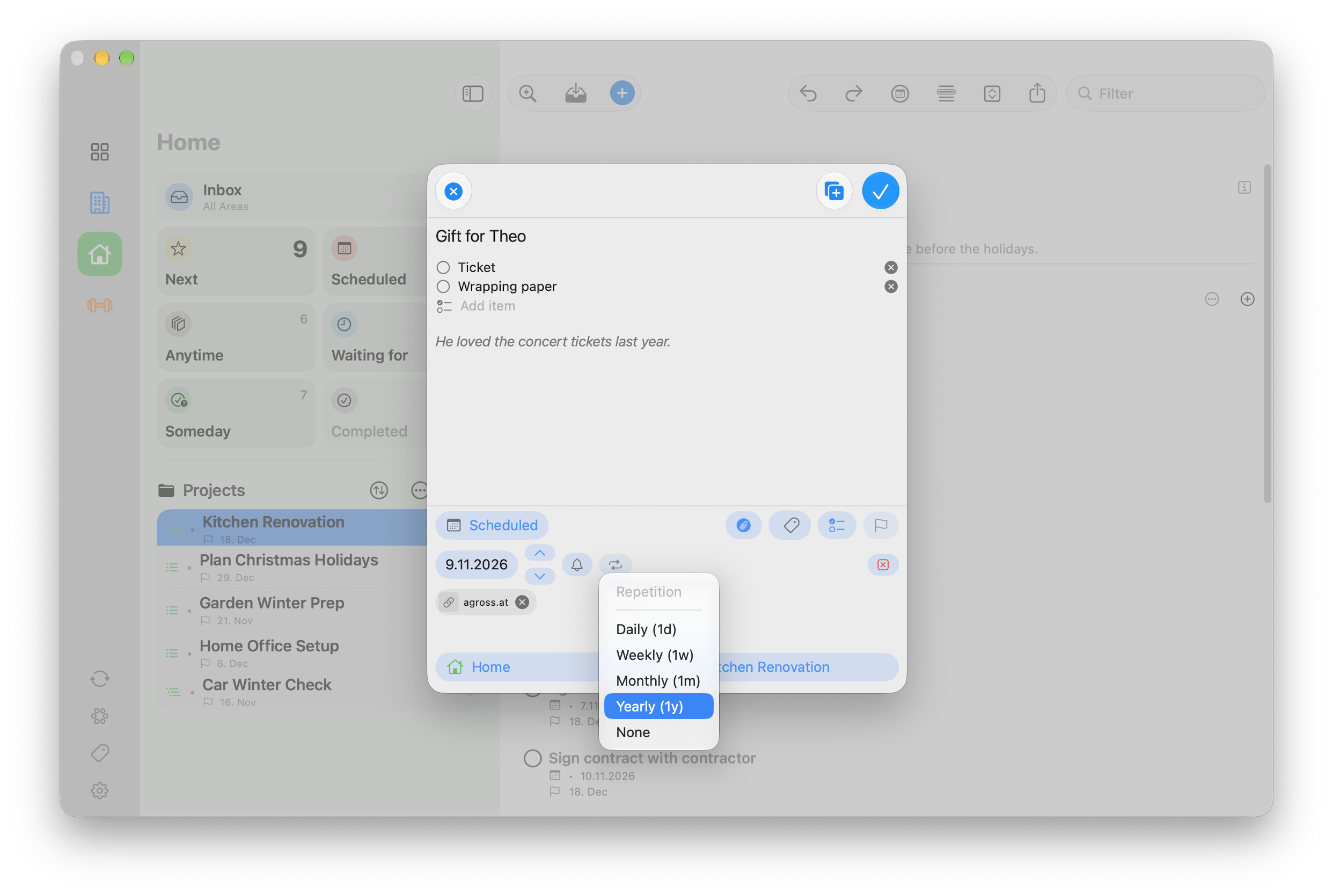
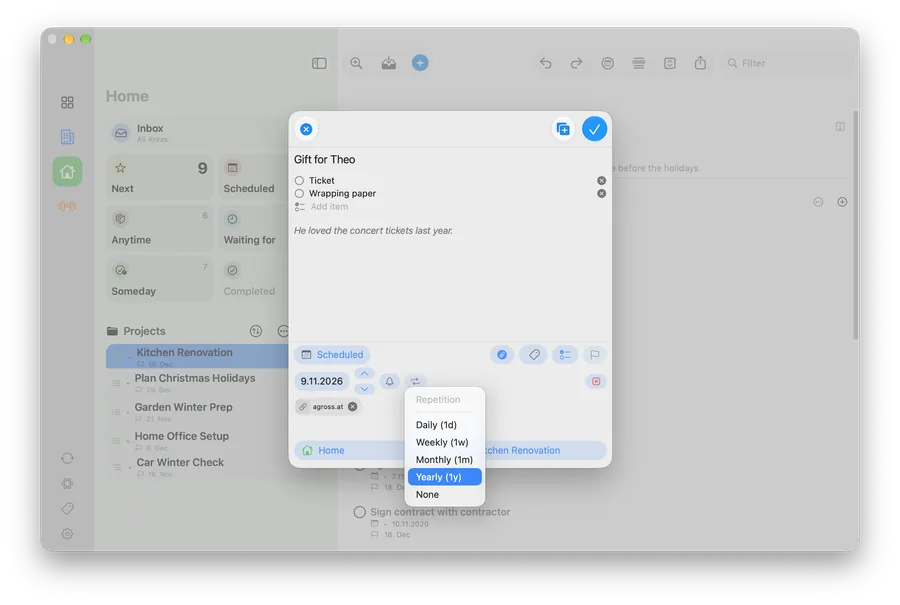 Mac · New task (light)Download ↓
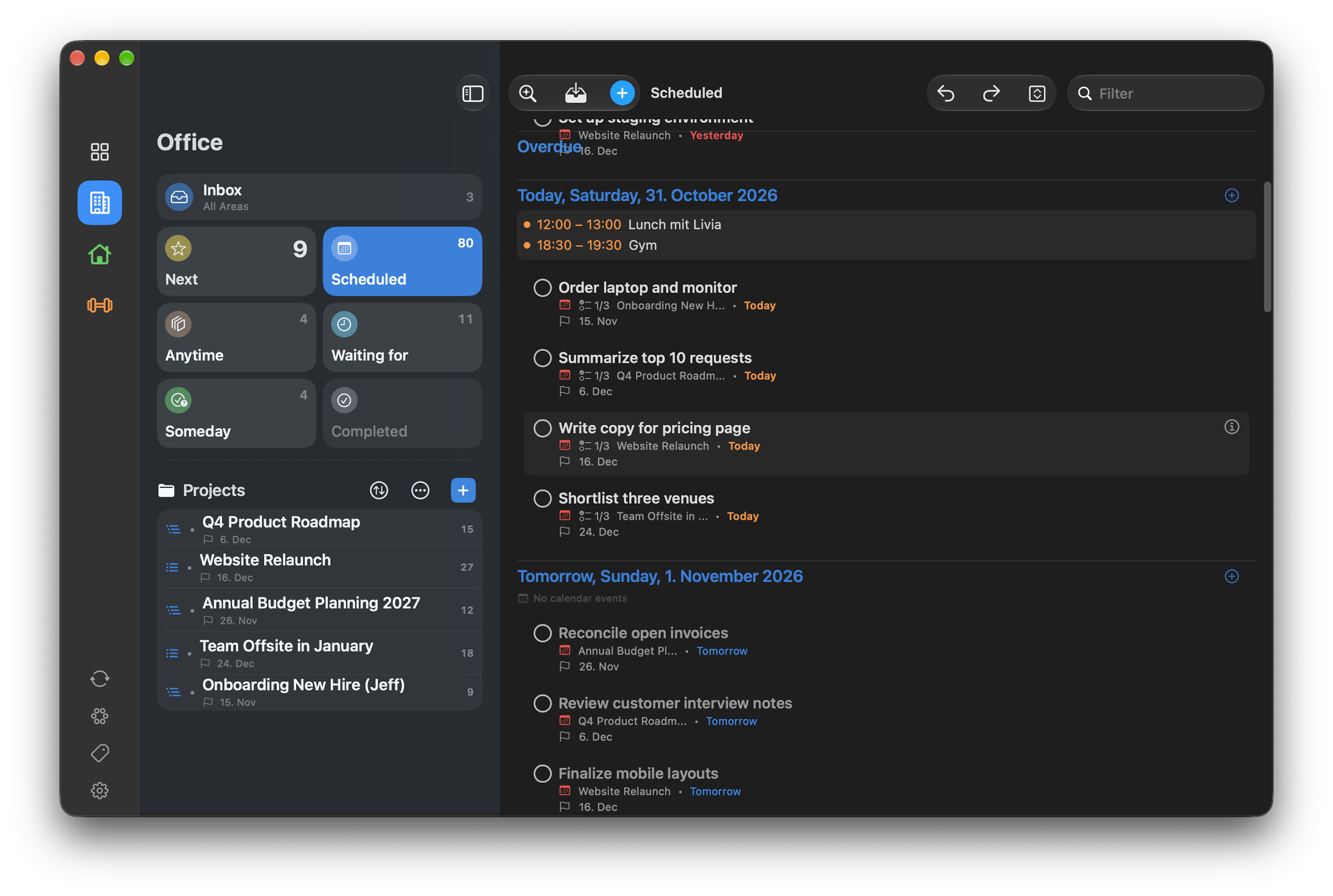
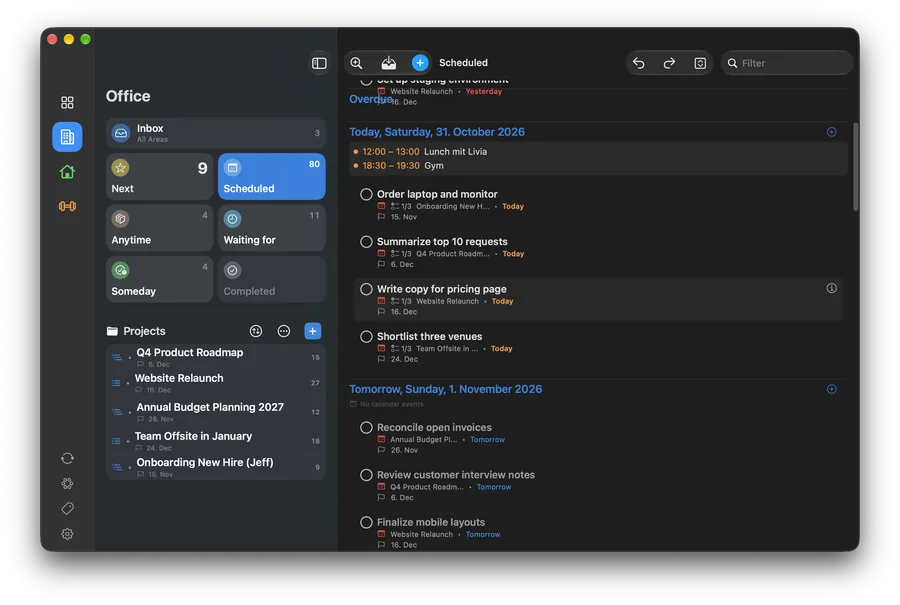 Mac · Scheduled (dark)Download ↓
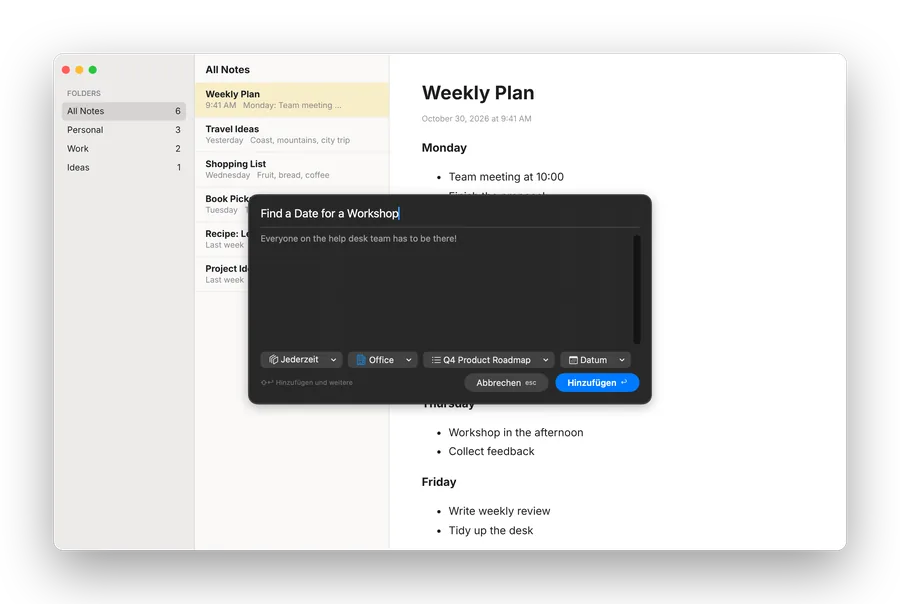 Mac · Quick Capture (dark)Download ↓